








How to Set Up a Proxy on macOS?
Last updated: 2026-10-31 14:29:24
Follow these steps to configure a proxy on macOS:
-
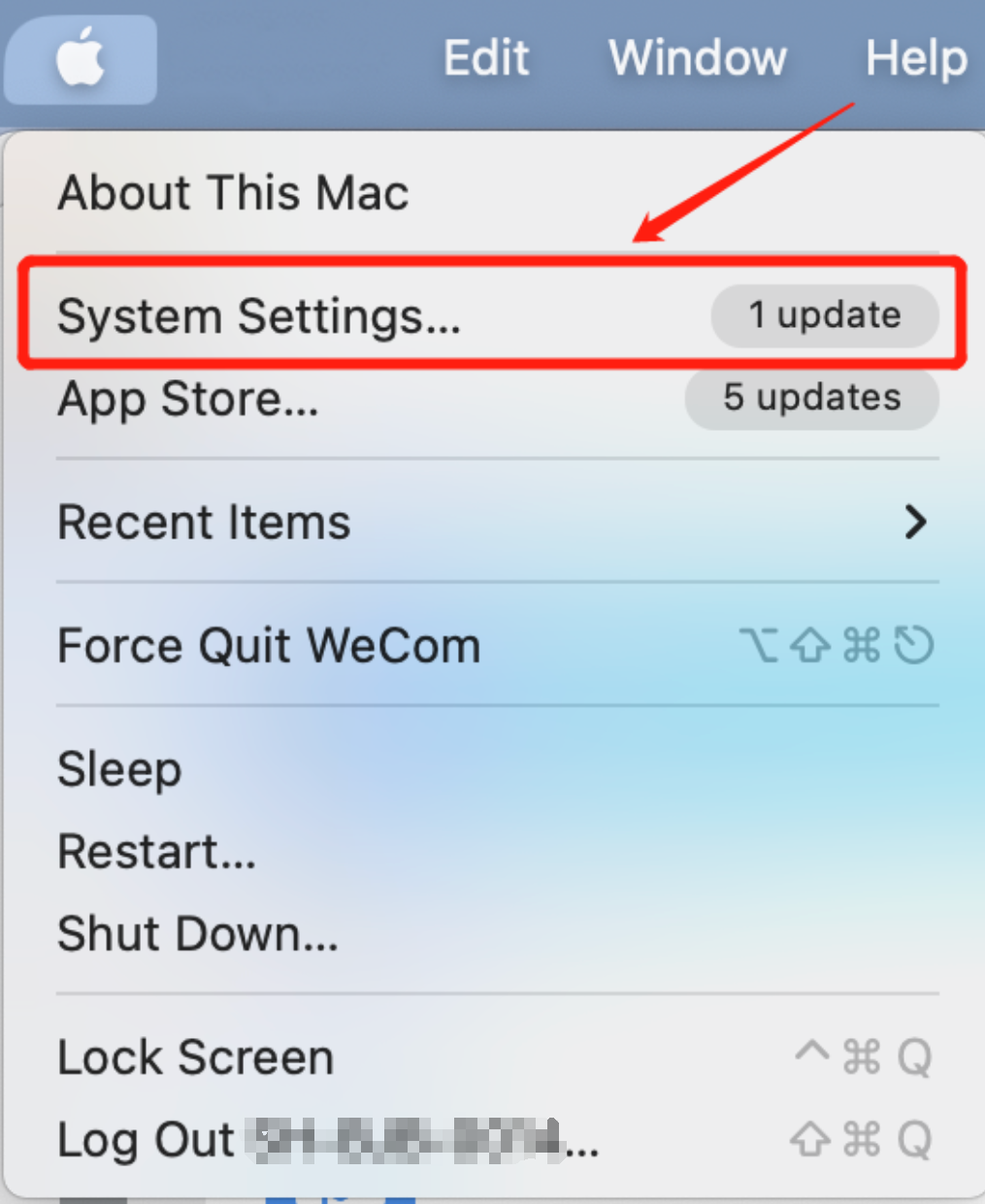
Open System Settings
-
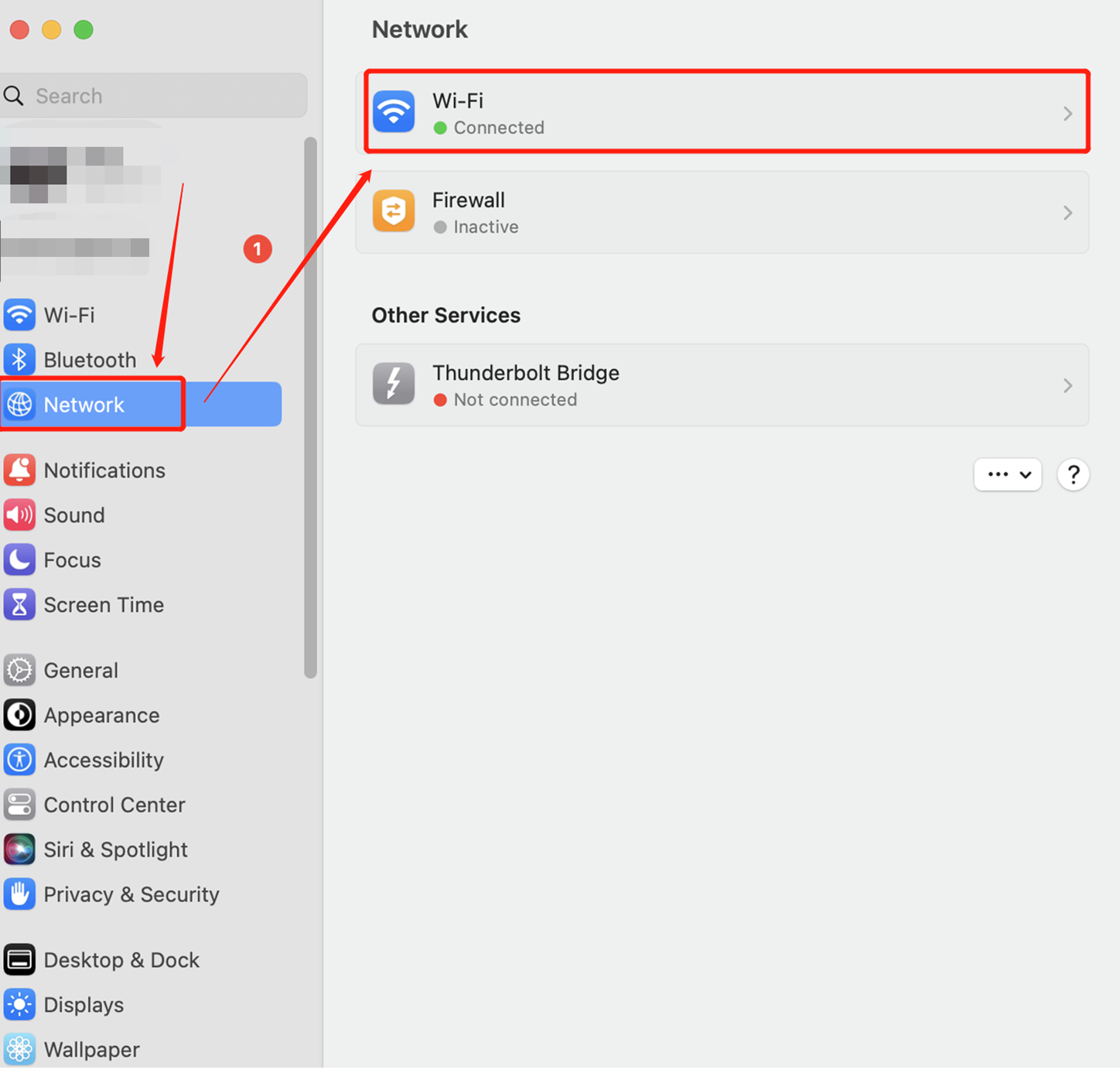
Select the "Wi-Fi" function under the "Network" tag
-
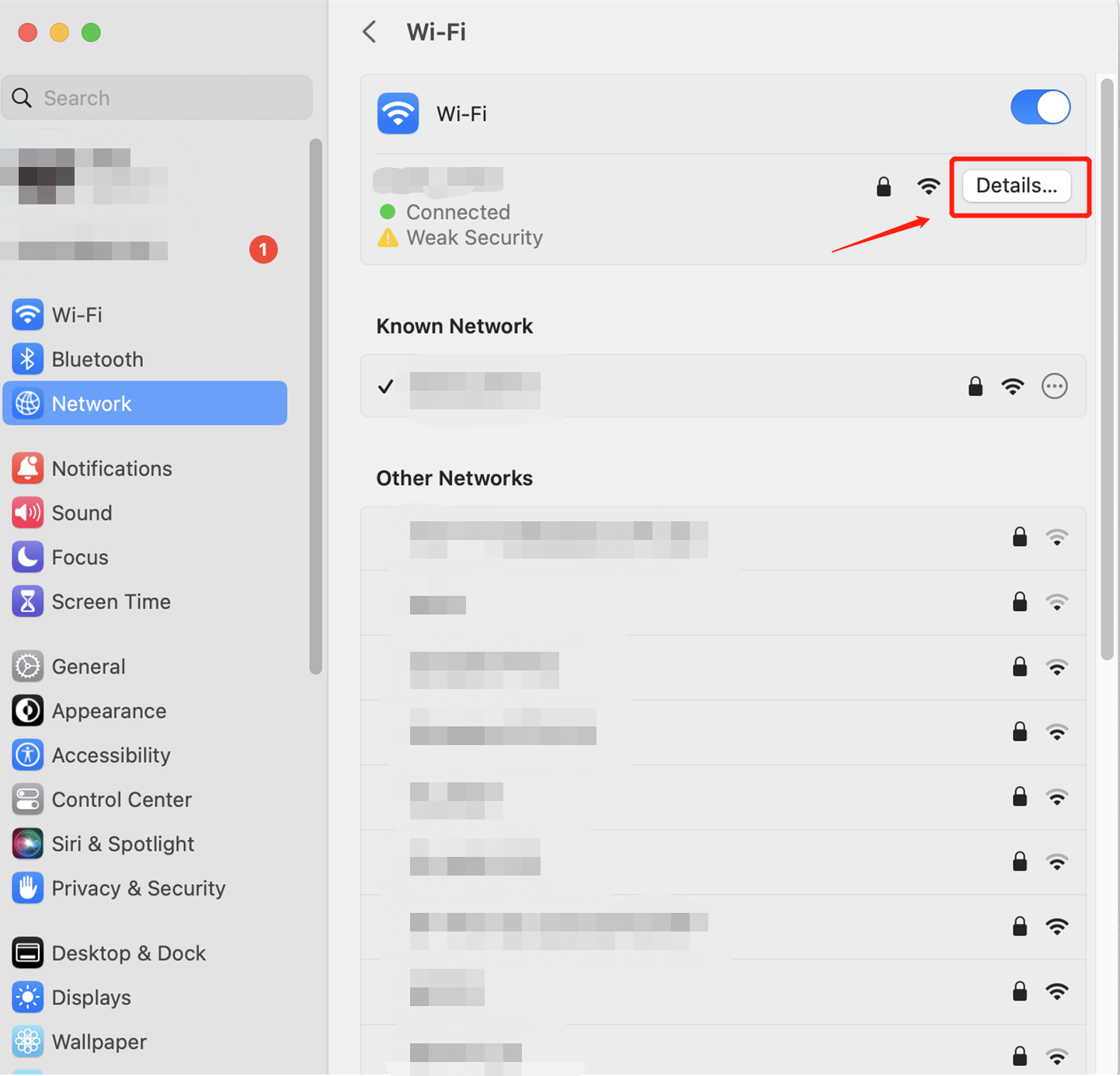
Click Details → Proxies.
-
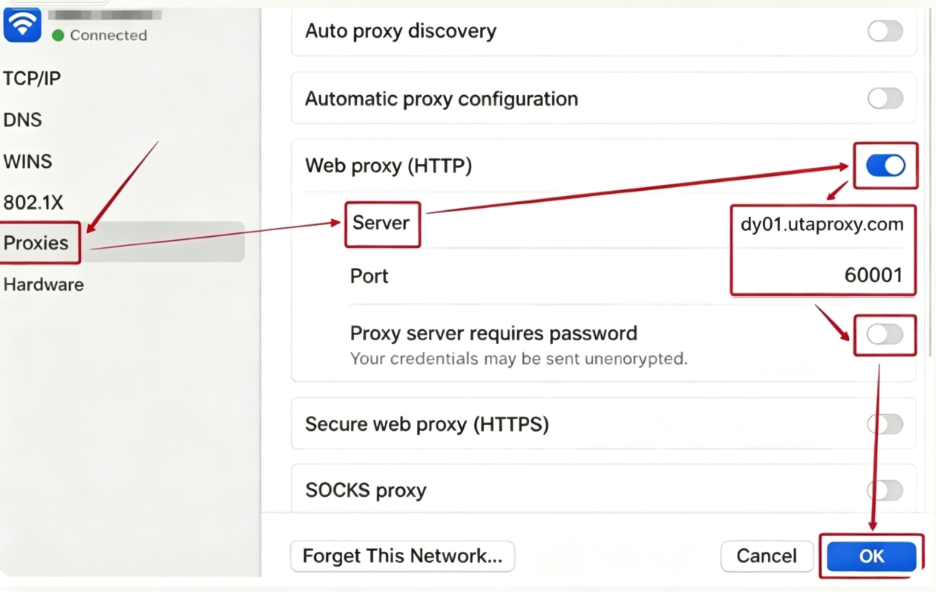
Turn "Web Proxy (HTTP)" on, then enter your proxy "Server" and "Port" details.
-
Enable "Proxy server requires password" and enter your "Username" and "Password".
-
Click "OK" to save the settings.
For Rotating Proxies (Rotating Residential Proxies, Rotating Mobile Proxies, Rotating Datacenter Proxies), the proxy settings should be configured as shown in following picture.
For Static Proxies (Static Residential Proxies, Static Datacenter Proxies), the proxy settings should be configured as shown in following picture.
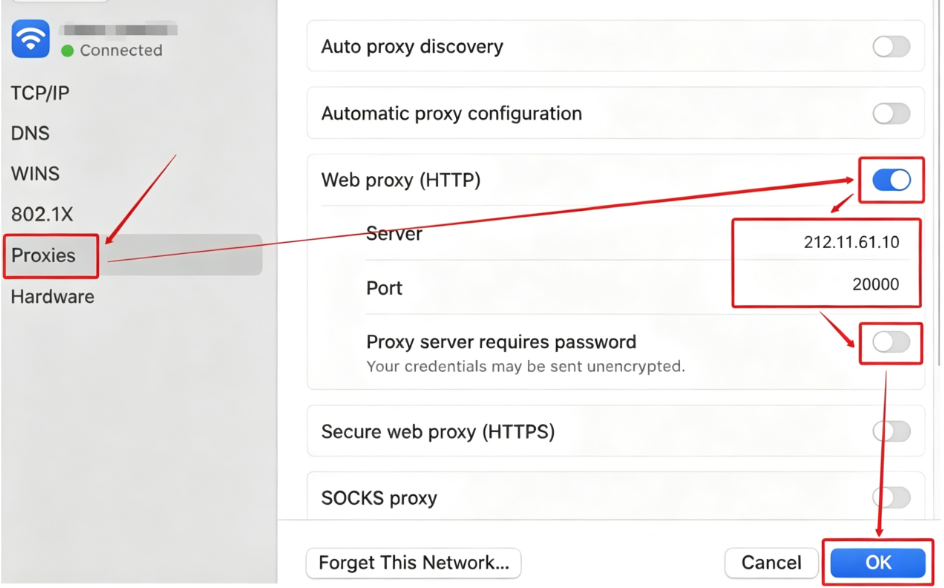
The proxy setup is now complete. You can use an IP detection tool to verify whether your current IP address has changed to the proxy IP.
Was this article helpful?
Your response helps us keep this guide clear and accurate.
Rate this article