








Why Is Auto-Renewal Enabled Before Payment?
Last updated: 2026-10-31 16:23:21
This issue only applies to Static Residential Proxy and Datacenter Proxy orders.
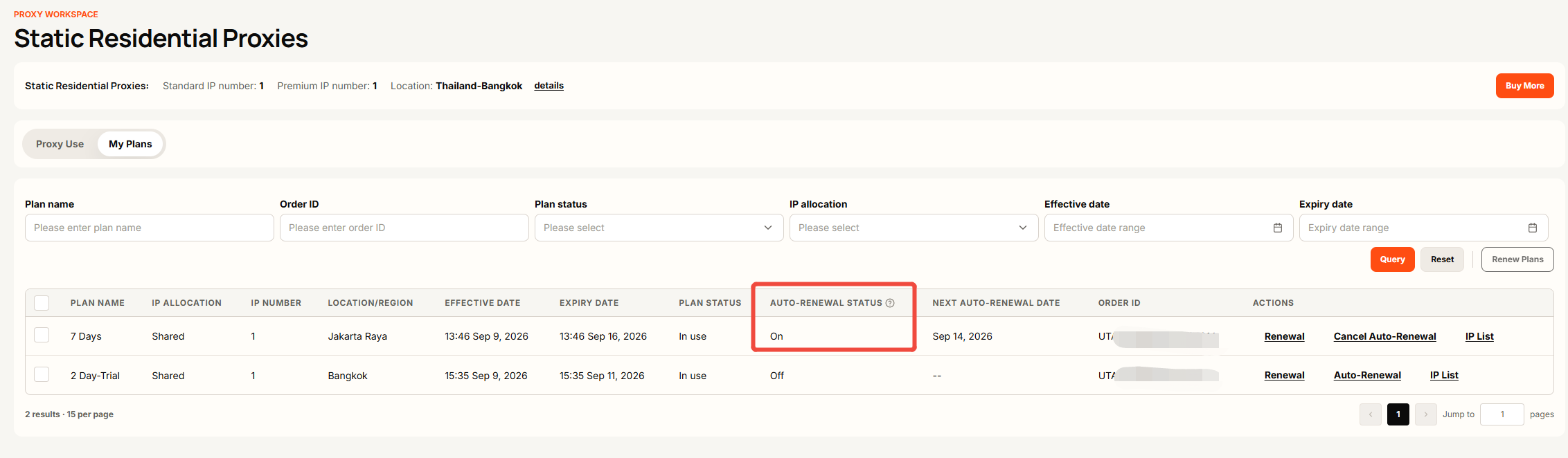
You may see that your Auto-Renewal Status is enabled even though the renewal payment has not been completed.
This happens because the auto-renewal process has been initiated, but the payment is still pending. Your current plan remains expired until the payment is successfully completed and the payment status is updated.
If you have already completed the payment but your order status has not been updated, please wait a few minutes for the payment to be processed. Payment processing times may vary, but the status is normally updated within 10–20 minutes. If the status has not been updated after this time, please contact UtaProxy Support for assistance.
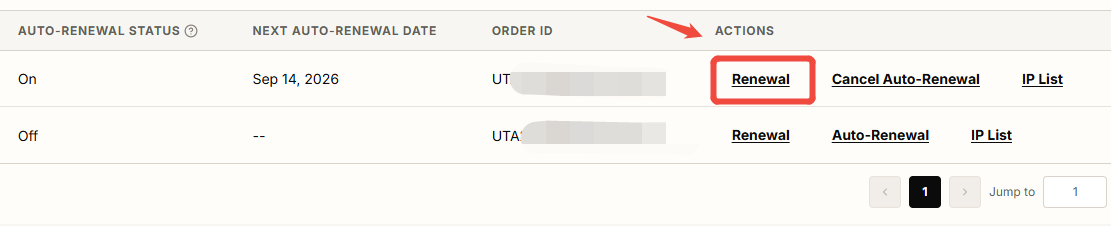
If you have not completed the payment, go to Actions → Renewal and complete the payment. Once the payment is successfully processed and the order status is updated, your auto-renewal will be activated.
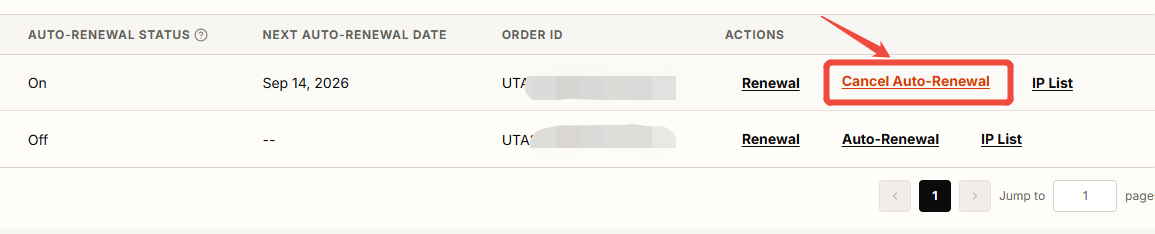
If you started the auto-renewal process but changed your mind before completing the payment, go to Action → Cancel Auto-Renewal to cancel the pending auto-renewal process.
Was this article helpful?
Your response helps us keep this guide clear and accurate.
Rate this article