








How to Enable Plan Auto-Renewal?
Last updated: 2026-10-31 16:27:06
You can enable auto-renewal for an active paid plan from your UtaProxy Dashboard.
Step 1: Open Auto-Renewal Settings
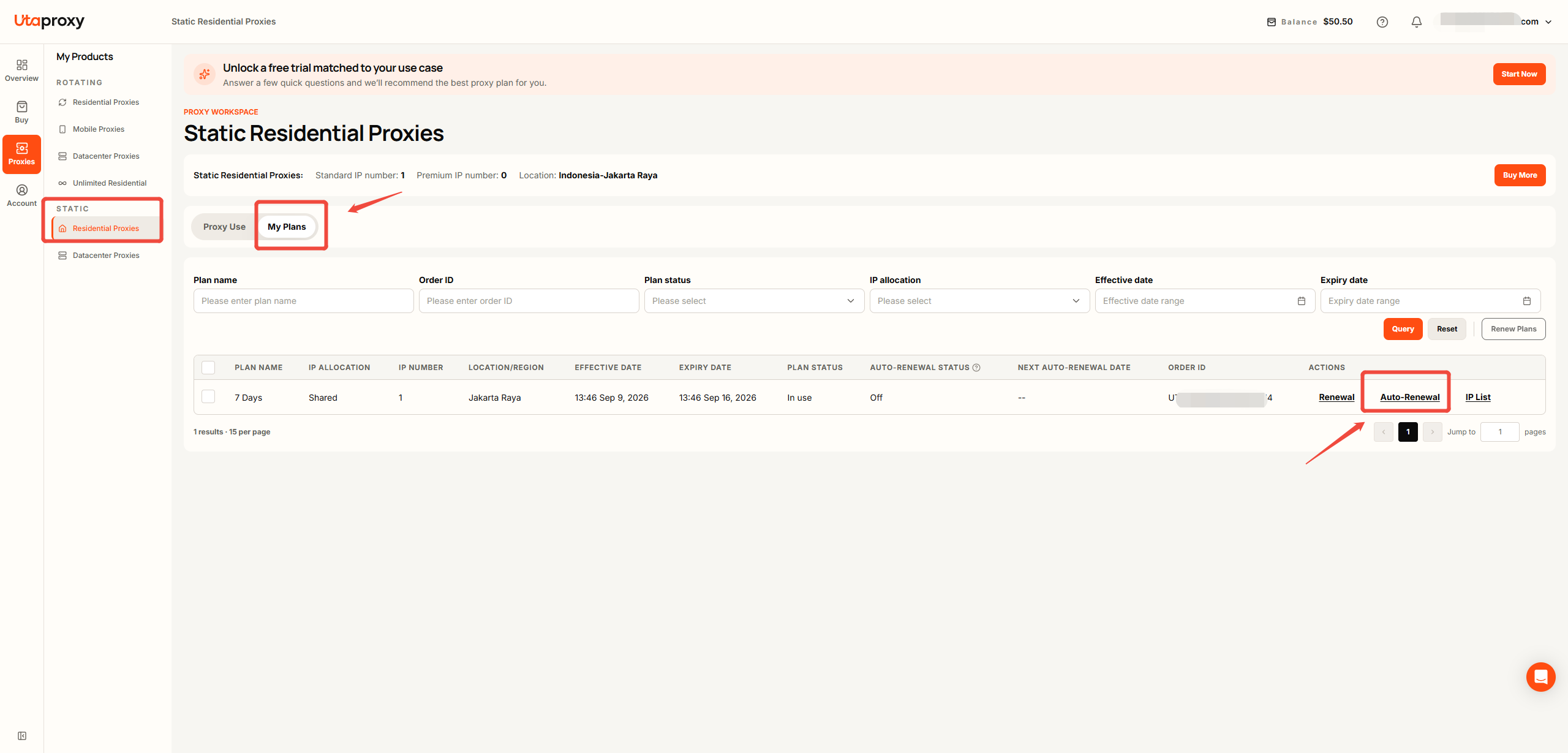
Log in to your UtaProxy Dashboard and go to:
Proxies → Static Residential Proxies → My Plans
Find the plan you want to enable auto-renewal for, then click Auto-Renewal button.
Step 2: Confirm Auto-Renewal
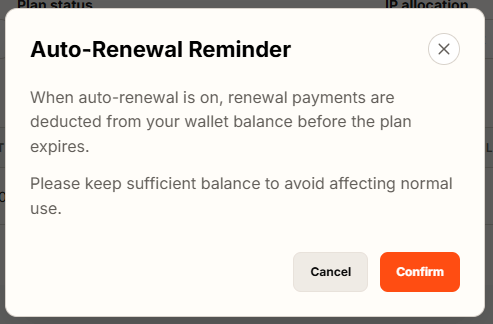
Read the Auto-Renewal Reminder carefully.
If you agree to the terms, click Confirm and enable auto-renewal.
If you don't want to continue, click the × in the top-right corner to close the reminder.
Step 3: Check Your Auto-Renewal Status
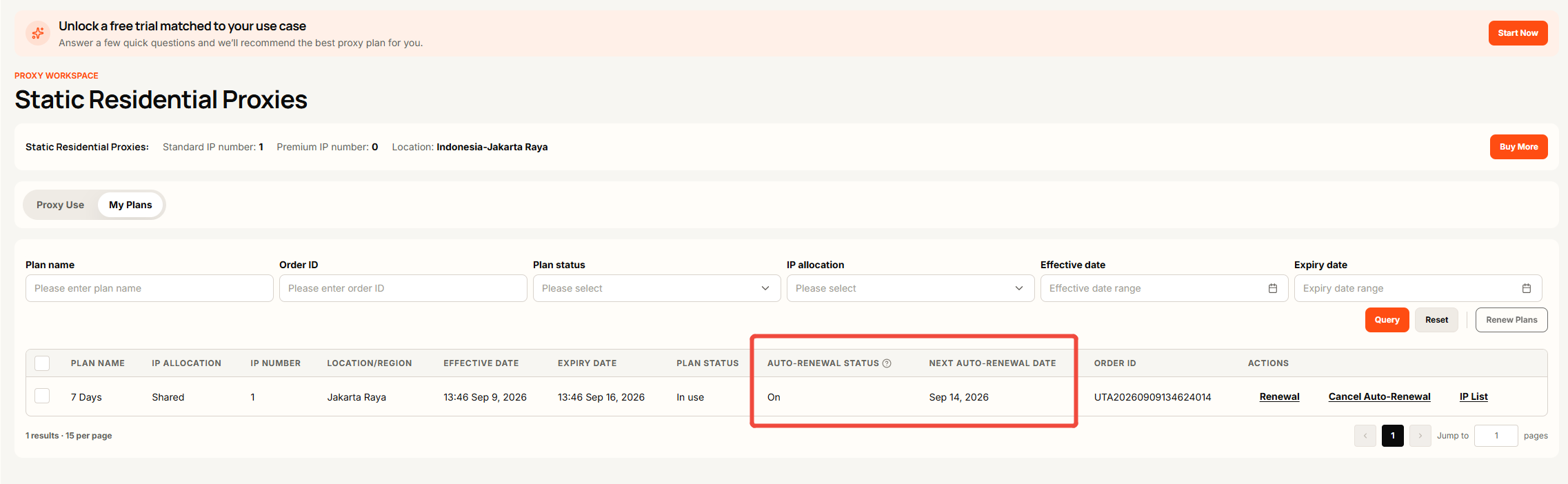
Once auto-renewal is enabled:
For an active paid plan: The Auto-Renewal Status and Next Auto-Renewal Date will be updated accordingly.
For an expired paid plan: You can click Reactivate Auto-Renewal under Action to enable auto-renewal again.
Note: Auto-renewal is not available for trial plans.
Was this article helpful?
Your response helps us keep this guide clear and accurate.
Rate this article