








How to Use Unlimited Residential Proxies?
Last updated: 2026-10-31 16:13:34
Unlimited Residential Proxies provide unlimited traffic and are suitable for long-running projects that require stable proxy access.
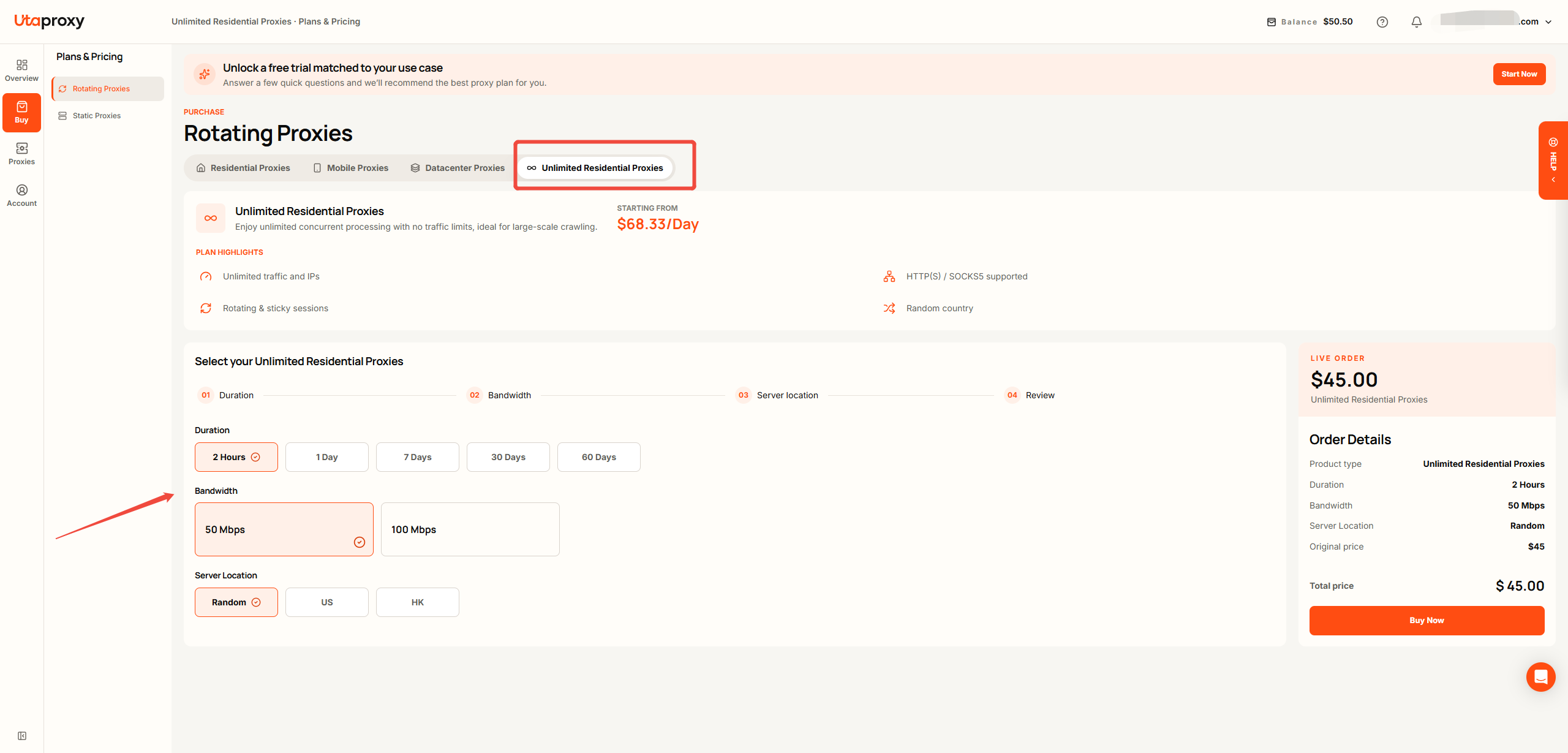
Step 1: Choose a Plan
Log in to your UtaProxy Dashboard and go to:
Buy → Rotating Proxies → Unlimited Residential Proxies
Choose a plan based on your project requirements and expected usage period.
Step 2: Configure Your Proxy
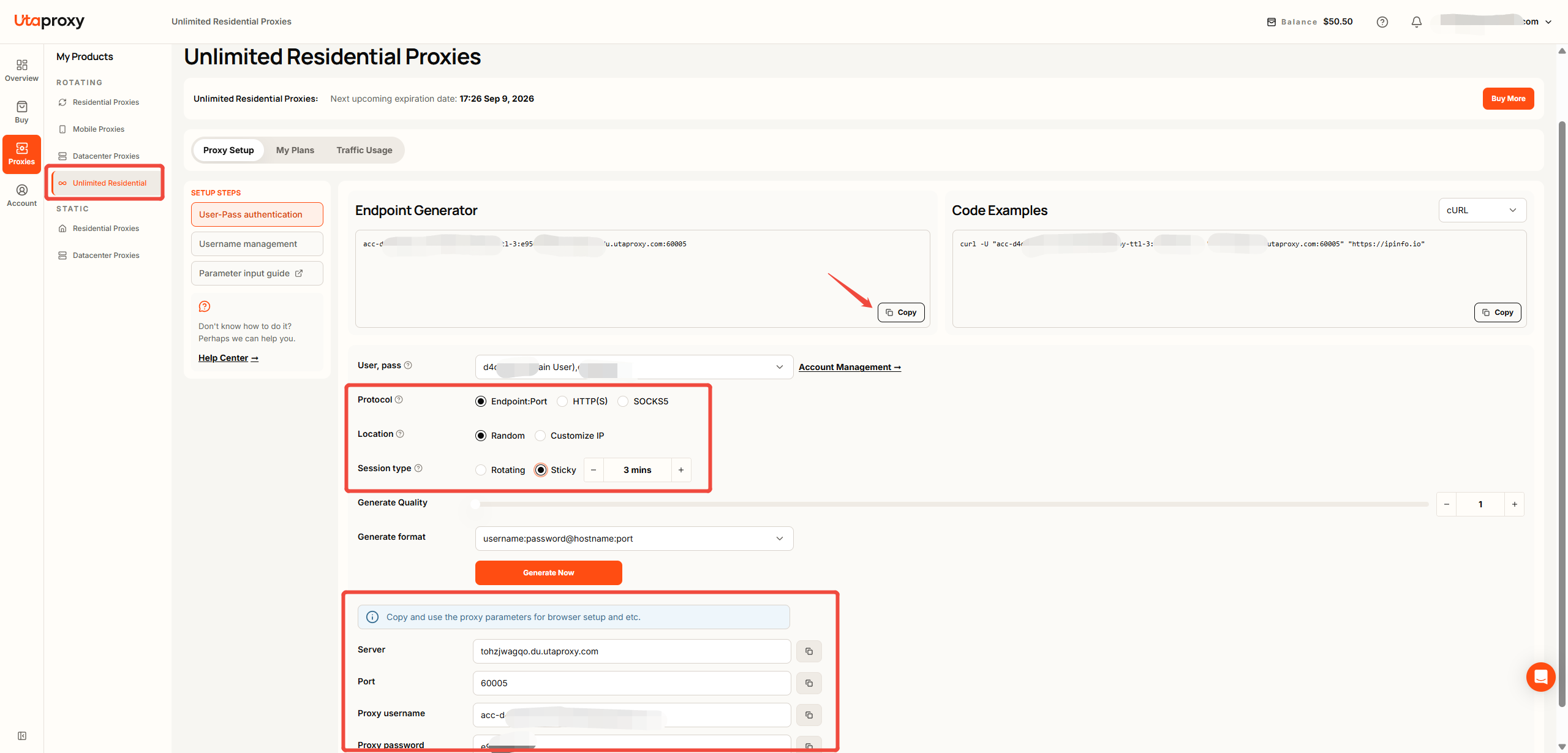
After purchasing a plan, go to:
Proxies → Rotating → Unlimited Residential Proxies
Here, you can configure your proxy settings, including the protocol and sticky session time.
By default, no sticky session time is set, which means the proxy IP may rotate with each request.
Step 3: Connect to Your Proxy
Once your proxy is configured, you can find the following connection details:
● Server
● Port
● Username
● Password
Use these credentials to configure the proxy on your device, browser, or application.
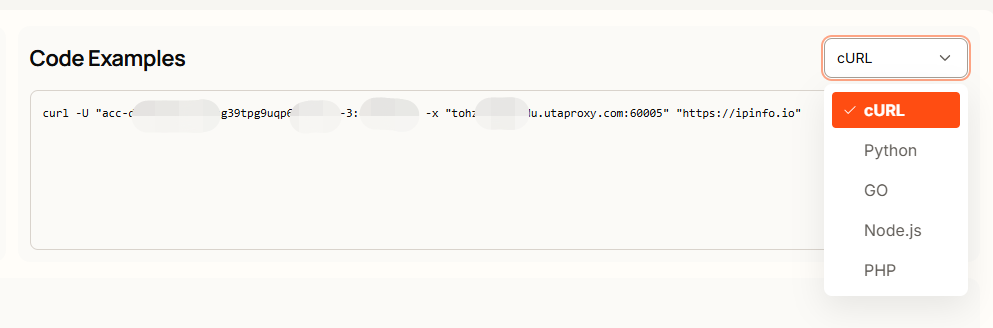
If you're a developer, you can also use the Endpoint Generator to generate proxy configurations and code examples for integration with your application.
Was this article helpful?
Your response helps us keep this guide clear and accurate.
Rate this article