








How to Use Mobile Proxy?
Last updated: 2026-09-30 17:43:14
To use a UtaProxy mobile proxy, first generate your proxy parameters from the dashboard, then use them to configure your browser or device.
1. Navigate to "Proxies" → "Mobile Proxies", then go to the Endpoint Generator section. Here, you can obtain your server, port, proxy username, and proxy password.
2. Copy the generated proxy parameters and use them to configure your browser or device settings.
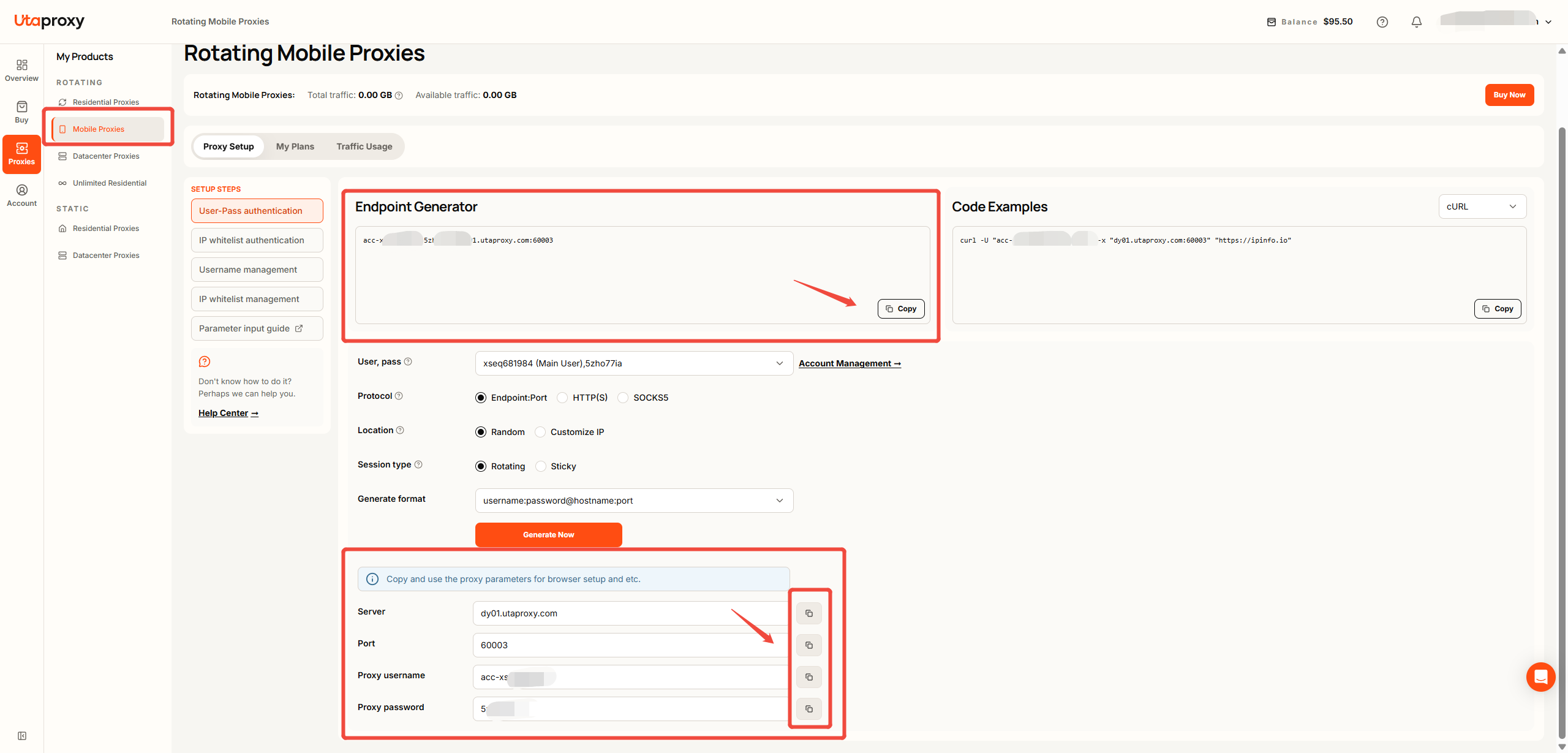
Once you have the proxy parameters, follow the device-specific guide below to complete the setup:
Was this article helpful?
Your response helps us keep this guide clear and accurate.
Rate this article