Best Proxy Web Browsers in 2026: Comparison & Setup
Looking for the best proxy web browser in 2026? The right choice depends on whether you want to configure a proxy in your existing browser, browse through a web proxy without installing software, or manage separate browser profiles with dedicated proxy settings. Firefox and Chrome are practical starting points for conventional proxy configuration. Web proxies offer a simpler no-install option, while dedicated proxy browsers provide profile management and additional controls for specialized workflows. This guide compares the main options, explains their differences, and shows you how to set up and test a browser proxy safely.
Best Proxy Web Browsers at a Glance
Not every tool marketed or discussed as a proxy browser works the same way. Some are regular browsers that support proxy connections; others are dedicated applications, web-based proxy services, or privacy tools that route traffic differently.
| Browser or tool | Best for | Custom proxy support | Main limitation |
|---|---|---|---|
| Firefox | Manual proxy configuration and regional testing | Yes, through native settings | Manual configuration requires a working proxy endpoint |
| Chrome with a proxy extension | Convenient proxy switching | Depends on the extension and setup | Extensions require careful permission checks |
| GoLogin | Managing separate browser profiles | Yes | Advanced features may require a paid plan |
| AdsPower | Profile organization and automation | Yes, depending on configuration | More complex than most ordinary browsing requires |
| Multilogin | Specialized profile and team workflows | Yes, depending on configuration | Paid features may be unnecessary for casual use |
| Hide.me Web Proxy | Quick access without installing software | Usually limited to provider options | Complex websites may not work correctly |
| Tor Browser | Privacy-focused browsing | Uses the Tor network by default | Some websites may be slower or restrict access |
| Brave | Everyday browsing with tracker protection | Depends on external configuration | Standard Brave windows do not automatically use a third-party proxy |
| Opera | Convenient browser-level IP masking | Built-in VPN rather than conventional proxy configuration | Not a replacement for a custom proxy endpoint |
| Browserless | Remote browsing and automation | Supported proxy routing options | Requires more technical setup |
Free access, profile allowances, and paid features vary by provider and can change. Check official documentation and pricing before choosing a tool.
Which proxy browser should you choose?
- For ordinary browser proxy setup: Start with Firefox or Chrome.
- For switching between proxy endpoints: Consider a compatible Chrome extension or a browser with built-in proxy management.
- For separate browser profiles: Compare GoLogin, AdsPower, and Multilogin.
- For browsing without installing software: Try a web proxy for simple, low-risk tasks.
- For privacy-focused browsing: Choose Tor Browser rather than treating a conventional proxy as an anonymity tool.
- For restricted networks or pure clientless access: Use a web proxy or a remote browser when you cannot install software or change local settings.
- For convenient built-in IP masking: Consider Opera's VPN feature.
- For automated browsing: Consider a cloud browser service if you need remote execution or programmatic control.

What Is a Proxy Web Browser?
A proxy web browser is a broad term for a browser or browser-based tool that accesses websites through an intermediary server instead of connecting directly from your usual network connection.
The term can refer to several different things:
- A regular browser configured to use a proxy server.
- A dedicated proxy browser that manages multiple profiles and their proxy connections.
- A web proxy that retrieves and relays pages through a website.
- A remote browser that runs in another environment and can use a proxy.
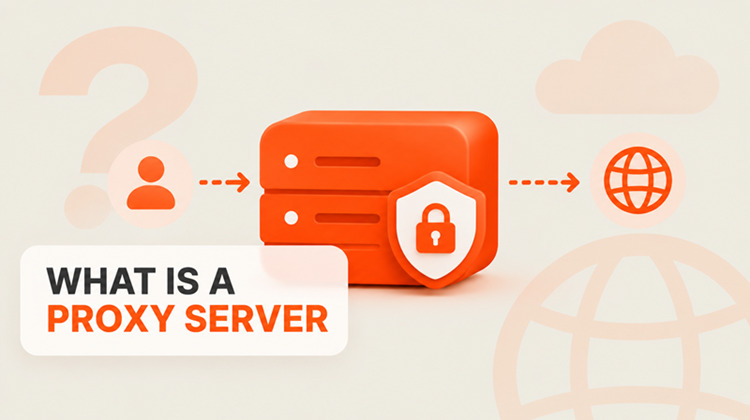
A conventional proxy connection follows this general path:
Your browser → Proxy server → Destination website
For requests routed through the proxy, the destination website generally sees the proxy's public IP address instead of your usual public IP address. However, changing the apparent IP address does not automatically make you anonymous. Websites may still recognize you through account logins, cookies, browser fingerprints, and other identifying signals.
Four types of proxy browser tools
A. Regular browsers with proxy settings
Browsers such as Firefox support manual proxy configuration. Chrome and other Chromium-based browsers can use supported system proxy settings or compatible extensions. This option works well when you already have a proxy endpoint and want to route browser traffic through it without installing a specialized browser.
Best for: Regional website testing, checking localized content, and using a specific proxy endpoint.
B. Dedicated proxy browsers
Dedicated proxy browsers focus on managing separate browser profiles, often with individual cookies, local storage, session settings, and proxy assignments. Some also offer fingerprint configuration, automation, profile synchronization, and team features. Examples include GoLogin, AdsPower, and Multilogin. These tools can help organize separate client or project environments. However, profile separation does not guarantee that websites will treat profiles as unrelated, and using a proxy does not override a platform's account policies.
Best for: Legitimate multi-workspace operations, profile management, and workflows that require different proxy connections.
C. Web proxies
A web proxy is a website where you enter a destination URL and the service retrieves and relays the page to your browser. You generally do not need to install software or enter a proxy hostname and port into your browser settings. This is convenient for occasional access, but complex websites, interactive applications, downloads, and persistent login sessions may not work reliably.
Best for: Simple browsing when you cannot install software or change local proxy settings.
D. Remote and cloud browsers
A remote browser runs on another computer or in a cloud environment. You interact with it through a remote interface or control it programmatically. Unlike a basic web proxy, a remote browser runs a full browser environment. Depending on the service, you can configure proxy routing, render JavaScript-heavy pages, interact with forms, and automate browser actions.
Best for: Developers, authorized data collection, browser testing, and automation workflows.
1. Firefox: Best for Manual Proxy Configuration
Firefox is one of the most straightforward options if you want to configure a proxy without switching to specialized software. Its connection settings support manual proxy configuration, system proxy settings, automatic detection, and automatic proxy configuration files.
Why choose Firefox
- Native proxy configuration.
- No dedicated profile-management software required.
- Useful for regional testing and browser-specific network routing.
- Separate Firefox profiles can help organize different settings and sessions.
Limitations
You need a working proxy endpoint and any required authentication details. You should also verify that the requests you intend to route are actually using the proxy.
For straightforward browser proxy setup, Firefox is a sensible starting point.
2. Chrome with a Proxy Extension: Best for Convenient Switching
Chrome is a practical choice if you want to keep using your existing browser. Depending on your operating system and configuration, it can use system proxy settings or a compatible extension to manage proxy connections. Extensions can make it easier to switch between configured endpoints without repeatedly changing system settings.
Why choose Chrome
- Familiar browsing experience and broad extension support.
- Convenient proxy switching with a suitable extension.
- Fits into existing testing and research workflows.
Limitations
System-level proxy changes may affect other applications, not just Chrome. Extensions also vary in their permissions, implementation, and routing behavior. Before installing an extension, check its publisher, permissions, update history, and privacy policy. Confirm whether it changes browser proxy settings or handles requests in another way.
3. GoLogin, AdsPower, and Multilogin: Best for Separate Browser Profiles
Dedicated proxy browsers are designed for users who need more than a changed IP address. They organize separate browser profiles and can associate each profile with its own proxy connection. A profile may maintain its own cookies, local storage, and login sessions. Depending on the product, you may also get automation, profile synchronization, and team management.
| Tool | Best suited to | What to evaluate |
|---|---|---|
| GoLogin | Individuals and teams managing multiple profiles | Profile limits, custom proxy support, cloud sessions, and API access |
| AdsPower | Profile organization and browser automation | Profile allowances, automation options, and team permissions |
| Multilogin | Specialized profile and team workflows | Profile management, integrations, collaboration, and total cost |
Features, free allowances, and pricing differ across plans. Consult their official websites for current details.
How to choose among them
Start by estimating how many profiles you need, whether profiles must be shared with teammates, and whether you require automation or cloud execution. Check whether the software supports your preferred proxy protocol and whether you can connect a third-party proxy provider. Also compare the cost of the browser software with the cost of proxy traffic. If you only need to change your IP address for ordinary browsing, Firefox or Chrome with a suitable proxy configuration is generally simpler.
4. Hide.me Web Proxy: Best for No-Installation Access
A web proxy can be useful when you cannot install software or only need occasional access through a browser. Hide.me offers a web proxy that lets you enter a destination URL and use its available connection options without configuring a conventional proxy endpoint in your browser.
Why choose a web proxy
- No separate browser installation.
- No manual hostname or port configuration.
- Accessible through a normal desktop or mobile browser.
- Convenient for simple, occasional browsing.
Limitations
A web proxy does not behave exactly like a regular browser connected to a proxy server. Some interactive websites, authentication flows, and complex page features may fail. Because the service retrieves and relays web content, consider whether you trust the provider with the requests and content you send through it. Avoid entering passwords, payment details, or confidential information through an unfamiliar web proxy.
For recurring testing or business workflows, a configurable proxy connection is usually more flexible. Try the Hide.me Web Proxy and review its current features before relying on it for a particular task.
5. Tor Browser: Best for Privacy-Focused Browsing
Tor Browser routes traffic through the Tor network and includes protections designed to reduce tracking and browser fingerprinting. It is a dedicated privacy-focused browser, not simply a conventional browser with a commercial proxy enabled.
Why choose Tor Browser
- Free and open-source.
- Routes browsing traffic through the Tor network.
- Includes protections intended to reduce fingerprinting.
- Useful when privacy is a primary concern.
Limitations
Traffic through the Tor network can be slower than a direct connection. Some websites restrict Tor exit-node traffic or require additional verification. Signing into a personal account can still identify you.
Tor Browser also does not automatically route every application on your device through Tor. For privacy-sensitive browsing, use Tor Browser itself rather than casually routing another browser through Tor.
6. Brave: Best for Everyday Privacy Features
Brave is a general-purpose browser with built-in tracker protection and other privacy features. It can suit users who want a privacy-oriented daily browser without configuring a commercial proxy. Supported desktop versions also offer Private Windows with Tor connectivity.
Why choose Brave
- Built-in tracker and ad protection.
- Familiar everyday browsing experience.
- Optional Tor connectivity in supported desktop versions.
Limitations
A standard Brave window does not automatically use a third-party commercial proxy. Its Private Window with Tor also does not provide all the privacy protections of Tor Browser.
Brave is best understood as a privacy-focused everyday browser, not a direct replacement for a configurable proxy service or Tor Browser.
7. Opera: Best for Simple Built-In VPN Access
Opera includes a built-in VPN feature that can route browser traffic through its VPN service without requiring a separate VPN application. This can be convenient for simple browser-level IP masking and location switching.
Why choose Opera
- Built-in VPN feature.
- Straightforward browser-level activation.
- Useful for casual browsing when you do not need a custom proxy endpoint.
Limitations
Opera's built-in VPN is not the same as entering the hostname, port, and credentials for a third-party HTTP(S) or SOCKS5 proxy. You should not assume it protects every application or connection on your device.
Choose Opera for convenience, not when you specifically need granular control over a commercial proxy server.
8. Browserless: Best for Cloud Browser Automation
Browserless is a developer-oriented browser service rather than a conventional browser application. It supports remote browser automation and proxy routing for supported workflows involving tools such as Puppeteer and Playwright.
Why choose a cloud browser
- Run browser sessions remotely.
- Automate navigation and page interaction.
- Render JavaScript-heavy pages.
- Integrate browser operations into scripts and applications.
Limitations
This approach requires more setup than opening a normal browser. You may need an API token, code, and an understanding of session management and resource usage.
If you only need to browse manually, a regular browser with proxy settings is simpler. For repeatable, authorized data collection or automated testing, a cloud browser may be more appropriate.
How to Choose the Right Proxy Browser
The best option depends on what you need to accomplish, how much control you require, and how your proxy connection should behave.
For everyday browsing and regional testing
Start with Firefox or Chrome configured with a suitable proxy. This is usually enough for checking localized website content, testing a website from another region, or routing selected browser traffic through a different IP address. You generally do not need a dedicated proxy browser for these tasks.
For browser-only routing
If you want the proxy to affect only your browser and leave other applications on the normal connection, use Firefox’s manual proxy settings or a compatible Chromium extension. Creating a dedicated browser profile further isolates cookies and session data while keeping the rest of the system unaffected. Always test that only the intended browser traffic is routed through the proxy.
For separate profiles and workspaces
A dedicated proxy browser may be useful when you work across different clients or projects and need separate sessions.
Compare:
- Profile isolation and session persistence.
- Proxy assignment and supported protocols.
- Automation and synchronization features.
- Team permissions and collaboration.
- Software costs and proxy traffic costs.
Choose a specialized tool when its additional features solve a real workflow problem, rather than simply because it is marketed as an advanced proxy browser.
For no-install access
A web proxy may be convenient when you cannot install software or change local network settings. However, a web proxy may not support complex websites or persistent sessions. A remote browser can be a better alternative when you need a complete interactive browser environment hosted elsewhere. Neither option guarantees access through a restricted network.
For authorized scraping and automation
A cloud browser can help when your workflow requires JavaScript rendering, form interaction, pagination, or programmatic browser control. For repeated structured data collection, a scraping API may be simpler than managing a full browser. Use workflows that comply with applicable laws, website terms, and access restrictions. A proxy does not make an otherwise unauthorized activity permissible.
Which Proxy Type Should You Use?
The browser determines how you configure the connection. The proxy type determines the network endpoint and IP address used for requests routed through it.
| Proxy type | Common use cases | Important consideration |
|---|---|---|
| Datacenter proxy | Testing, automation, and cost-conscious data collection | Some websites apply stricter checks to datacenter IP ranges |
| Residential proxy | Regional website testing and permitted location-dependent data workflows | Performance, location coverage, and availability vary |
| ISP proxy | Workflows that benefit from a consistent ISP-associated IP address | Confirm whether the IP remains fixed and how the service is hosted |
| Mobile proxy | Testing mobile-network behavior and mobile-specific experiences | Check carrier coverage, session options, and bandwidth costs |
No proxy type is universally best. The right choice depends on your target website, location requirements, session behavior, performance needs, and provider capabilities.
Rotating vs. sticky sessions
Session settings are just as important as proxy type.
Rotating proxies change IP addresses according to the provider's rules. Rotation may occur per request, per connection, or at a configured interval. This can be useful for workflows that need requests to originate from different IP addresses.
Sticky sessions keep the same IP assigned for a defined period, where supported. They can help preserve continuity while browsing, testing a localized experience, or interacting with a website.
Changing IP addresses during a session can interrupt a workflow or trigger additional verification. If your task depends on continuity, check how rotation and session expiration work before using the service.
When a residential proxy makes sense
Residential proxies can be useful when you need to test how a website behaves across locations or collect permitted public web data from different regions. When comparing providers, check:
- Available countries and cities.
- HTTP, HTTPS, and SOCKS5 support.
- Authentication methods.
- Rotation and sticky-session options.
- Traffic pricing and usage limits.
- Connection reliability and technical support.
UtaProxy offers rotating residential proxies with location targeting, rotation and custom sticky-session options, and HTTP(S)/SOCKS5 support. Review the current product details to confirm they fit your project.
Proxy Browser vs. VPN: What's the Difference?
A browser proxy and a VPN can both change the public IP address visible to a destination, but their routing scope and configuration differ.
| Feature | Browser proxy | VPN |
|---|---|---|
| Typical traffic scope | Configured browser requests or selected traffic | Often device-wide, depending on setup |
| IP visible to destination | Proxy exit IP for routed requests | VPN server's exit IP |
| Encryption | Depends on the protocol and destination connection | Encrypts the tunnel between the device and VPN endpoint |
| Browser fingerprint protection | Not provided automatically | Not provided automatically |
| Setup | Browser settings, extension, profile, or web proxy | VPN application or network configuration |
| Common uses | Regional testing and selected web workflows | Broader network privacy and secure remote access |
A conventional proxy does not automatically encrypt all traffic between your device and the proxy. When accessing an HTTPS destination through a conventional proxy tunnel, the browser normally maintains an encrypted TLS connection to the destination. However, a web proxy that retrieves and relays page content can process that content itself. A VPN typically encrypts traffic between your device and the VPN server. The VPN provider handles that connection, so its privacy practices and trustworthiness still matter.
Choose a browser proxy when you need to configure a particular endpoint or route selected browser traffic. Choose a VPN when you need a protected tunnel for broader device traffic. Neither automatically prevents identification through account logins, cookies, or browser fingerprints.
How to Set Up a Proxy in Your Browser
The exact steps depend on the browser and proxy provider. In most cases, you need a proxy endpoint, the correct protocol, and any required authentication details.
Step 1. Get your proxy connection details
Obtain the following information from your proxy provider:
- Host: The proxy server's hostname or IP address.
- Port: The connection port.
- Protocol: For example, HTTP(S) or SOCKS5, as supported.
- Authentication: A username and password, if required.
- Location and session settings: Optional parameters if the service supports location selection or sticky sessions.
Use the exact configuration supplied by your provider. A mismatch between the protocol, port, credentials, or endpoint can prevent a connection. This residential proxy setup guide explains how to generate and use proxy connection details.
Step 2. Configure your browser
Option A: Firefox
- Open Firefox and go to Settings.
- Under General, find the Network Settings section.
- Open the connection or proxy settings dialog.
- Select Manual proxy configuration.
- Enter the hostname, port, and supported protocol settings supplied by your provider.
- Save the settings and test a new page.
Firefox also supports system proxy settings and automatic proxy configuration. The best option depends on whether you want manual control or to follow an existing network configuration.
Option B: Chrome, Edge, or Brave
These browsers commonly use system proxy settings or compatible extensions, depending on the platform and configuration.
- Decide whether to configure the system proxy or use a suitable extension.
- If using an extension, verify its permissions and publisher.
- Enter the proxy details or configure the supported connection profile.
- Enable the configuration.
- Test the browser's public IP to confirm the connection is using the proxy.
Remember that system-level settings can affect more than the browser. Extensions may also behave differently depending on their implementation, so verify the scope of their configuration.
Option C: A dedicated proxy browser
For tools such as GoLogin, AdsPower, or Multilogin:
- Create or select a browser profile.
- Open the profile's proxy settings.
- Choose a supported connection type.
- Enter the endpoint and authentication details, or select a configured proxy.
- Use the built-in connection test if available.
- Save the profile and open it to verify the connection.
The exact interface varies by product. Consult the relevant official documentation for product-specific options.
Option D: A web proxy or cloud browser
For a web proxy, open the service, enter the destination URL, and select a location if that option is available.
For a cloud browser, follow the service's instructions to start a remote session or connect through its API. Some services require an account, an API token, or code to configure proxy routing.
These options avoid some local configuration, but each has different functionality and access requirements.
Step 3. Check your IP address and location
Open an IP-checking service such as IPinfo in the browser you configured.
Check that:
- The public IP matches the proxy endpoint rather than your usual public IP.
- The reported location is consistent with the selected endpoint.
- The website loads reliably.
- Authentication and session behavior work as expected.
An IP check confirms the apparent IP for that particular request. It does not prove that every connection in the browser—or every application on your device—uses the same route.
For privacy-sensitive work, assess DNS and WebRTC exposure where relevant to your browser, configuration, and threat model.
Step 4. Troubleshoot common problems
The browser cannot connect.
Check the hostname, port, protocol, authentication details, and proxy service status. A single incorrect field can prevent a connection.
The IP address has not changed.
Confirm that the proxy is enabled and that the page you tested actually uses it. Check for conflicting extensions, system settings, or VPN configurations.
The connection is slow.
A proxy adds a network hop. Performance depends on server capacity, distance, congestion, provider routing, and the destination website.
A website still blocks access.
A changed IP does not remove cookies, account signals, browser characteristics, or request patterns. A proxy does not guarantee website access.
One browser profile works but another does not.
Check each profile's individual proxy settings, credentials, session configuration, and saved state.
Are Proxy Web Browsers Safe?
Safety depends on the browser, proxy provider, configuration, and what you do with the connection. An IP address change is only one part of online privacy.
Understand what the proxy provider can see
A proxy provider handles the connection that passes through its service. Review its privacy policy, logging practices, security documentation, and ownership before relying on it for sensitive work.
With a conventional proxy tunneling an HTTPS connection, the proxy can generally see connection metadata, such as the destination it connects to, but not the encrypted page contents unless the TLS connection is intercepted or terminated by the proxy.
A web proxy that retrieves and relays page content may process that content directly. Do not assume a service is trustworthy simply because it advertises anonymity or a no-logs policy.
Private browsing is not the same as anonymity
Incognito or private mode mainly limits what the browser saves locally after a session ends. It does not automatically change your public IP address or prevent websites, network administrators, or internet service providers from observing relevant activity. A proxy changes the network path for the requests it handles. These are two different functions.
An IP change does not prevent browser fingerprinting
Websites may use browser version, operating system, language, timezone, graphics behavior, cookies, and account activity to recognize or distinguish sessions. Tor Browser includes protections intended to reduce fingerprinting. Some dedicated proxy browsers offer configurable profile characteristics. Neither a proxy alone nor a specialized browser guarantees that a session cannot be identified.
Be cautious with free proxy services
Free web proxies can be convenient for occasional, low-risk browsing, but they may have limited locations, unreliable performance, or unclear privacy practices. Unfamiliar services may also expose users to unwanted tracking or content manipulation.
Avoid using a free or unfamiliar web proxy for banking, confidential business information, or sensitive credentials. For regular business use, evaluate authentication, privacy practices, service reliability, support, and terms of use.
Always follow applicable laws, network policies, and website terms when using proxies for browsing, automation, or data collection.
FAQs
What is the difference between a proxy browser and a web proxy?
A proxy browser usually means a browser configured to route traffic through a proxy, or a specialized browser built around proxy-enabled profiles. A web proxy is a website where you enter a destination URL and the service retrieves and relays the page to you. The latter generally requires no separate software installation.
Can I use a proxy in Chrome without installing another browser?
Yes. Chrome can use supported system proxy settings or compatible extensions. Choose the method based on whether you need a fixed endpoint, convenient proxy switching, or separate configurations. Always verify which traffic uses the proxy.
What is the best free proxy web browser?
It depends on your goal. Firefox is free and supports manual proxy configuration. Tor Browser is free and privacy-focused. Hide.me provides a web proxy that requires no installation, while Opera offers a built-in VPN feature. Each serves a different purpose, so they should not be treated as interchangeable.
Does a proxy browser hide my real IP address?
A correctly configured proxy generally presents its exit IP to the destination for the traffic it handles. Other connections or configuration issues may still expose information about your original network. Test the requests relevant to your workflow instead of assuming every connection is protected.
Can a proxy browser prevent browser fingerprinting?
Not automatically. A proxy changes the apparent network address, while browser fingerprinting uses additional signals from the browser and device. Some specialized browsers offer fingerprint-management features, but no tool can guarantee that a session will be unidentifiable.
Which proxy type is best for a browser?
Datacenter proxies can suit straightforward testing and automation. Residential proxies can be useful for regional testing and permitted location-dependent data collection. ISP proxies may suit workflows needing a stable ISP-associated IP, while mobile proxies are relevant when mobile-network behavior matters. Choose based on your task, session requirements, and provider capabilities.
Is a proxy browser better than a VPN?
Neither is universally better. A browser proxy is useful for routing selected browser traffic through a particular endpoint. A VPN is generally more suitable when you need an encrypted tunnel for broader device traffic. Choose according to your routing and protection requirements.
How can I route only my browser through a proxy?
Firefox's manual proxy settings are one option. A compatible Chromium extension may also work, depending on its scope and implementation. A separate browser profile can help organize the settings and session, but you should still verify that the intended requests use the proxy and that other applications remain unaffected.
Do I need a dedicated proxy browser to use residential proxies?
No. You can configure a supported proxy connection in a regular browser without using a dedicated profile-management application. Dedicated proxy browsers are useful when you also need features such as separate profiles, session management, team collaboration, or automation.
Final Verdict
The best proxy web browser in 2026 depends on what you need to do:
- Simple browser-level routing: Firefox or Chrome with a suitable proxy configuration.
- No-install access: A web proxy for occasional, low-risk browsing.
- Privacy-focused browsing: Tor Browser.
- Convenient built-in IP masking: Opera's built-in VPN.
- Separate browser profiles: GoLogin, AdsPower, or Multilogin, depending on your workflow.
- Programmatic browsing and automation: A cloud browser service such as Browserless.
Before choosing a tool, consider the traffic you need to route, location requirements, session behavior, privacy needs, and budget. Configure the connection carefully and test how it actually behaves rather than relying on product claims alone.

Daniel Carter
Proxy & Web Data Specialist
Daniel Carter is a Proxy & Web Data Specialist at UtaProxy, focusing on proxy technology, web data collection, and online infrastructure. He writes practical guides and in-depth insights to help businesses understand proxy solutions, choose the right proxy type, and build more reliable data workflows.