








How to Change My Password?
Last updated: 2026-10-31 14:16:39
Follow these steps to update your UtaProxy account password:
Step 1: Log in to your UtaProxy Dashboard.
Step 2: Click Account>Settings
Step 3: Select Change Password.
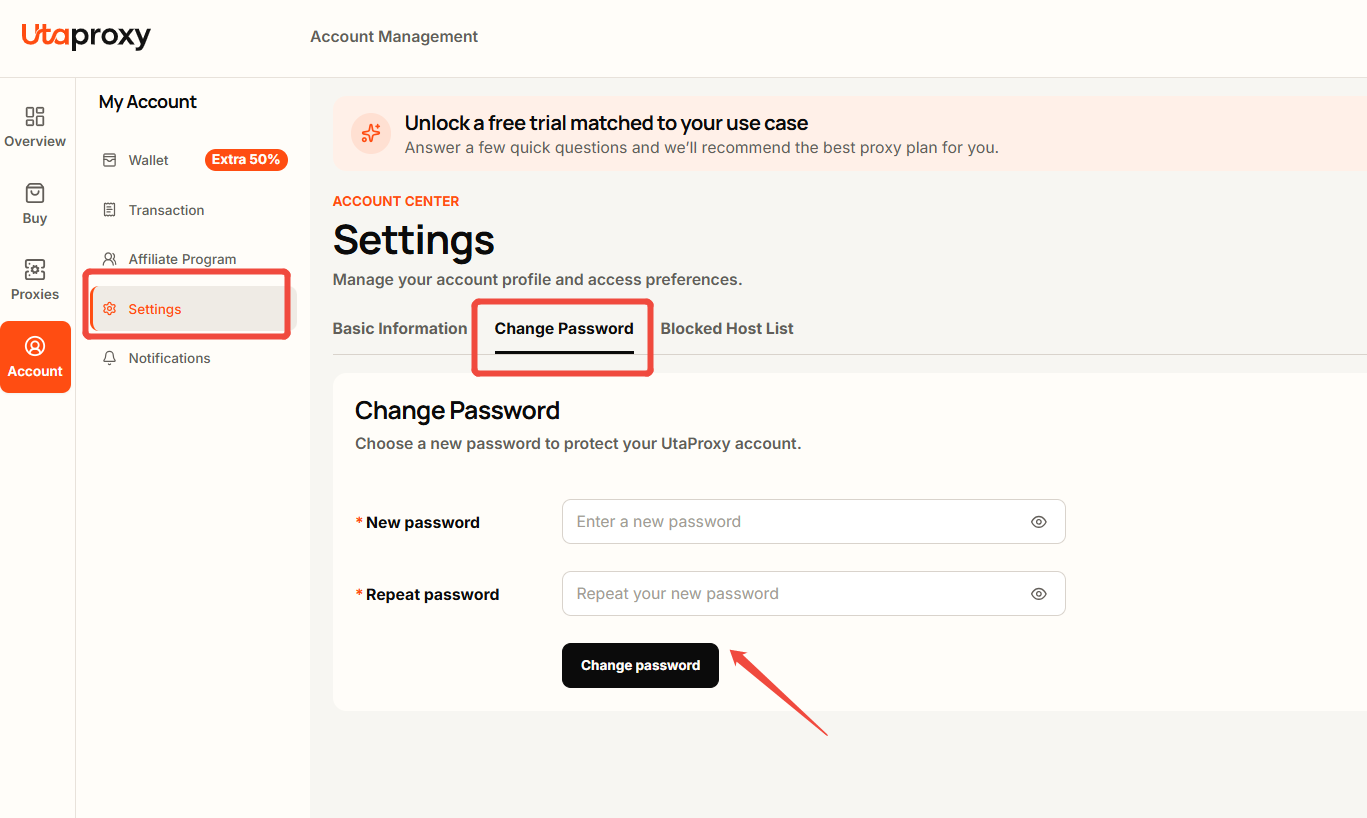
Step 4: Enter your new password and save the changes.
Your password will be updated successfully after saving.
Was this article helpful?
Your response helps us keep this guide clear and accurate.
Rate this article