








How to Change My Account Information?
Last updated: 2026-10-31 14:11:33
You can update your account details from your UtaProxy Dashboard:
Step 1: Log in to your UtaProxy Dashboard.
Step 2: Click Account>Settings
Step 3: Select Basic Information.
Step 4: Update your account details, such as Account Name, Telephone Number, and other contact information.
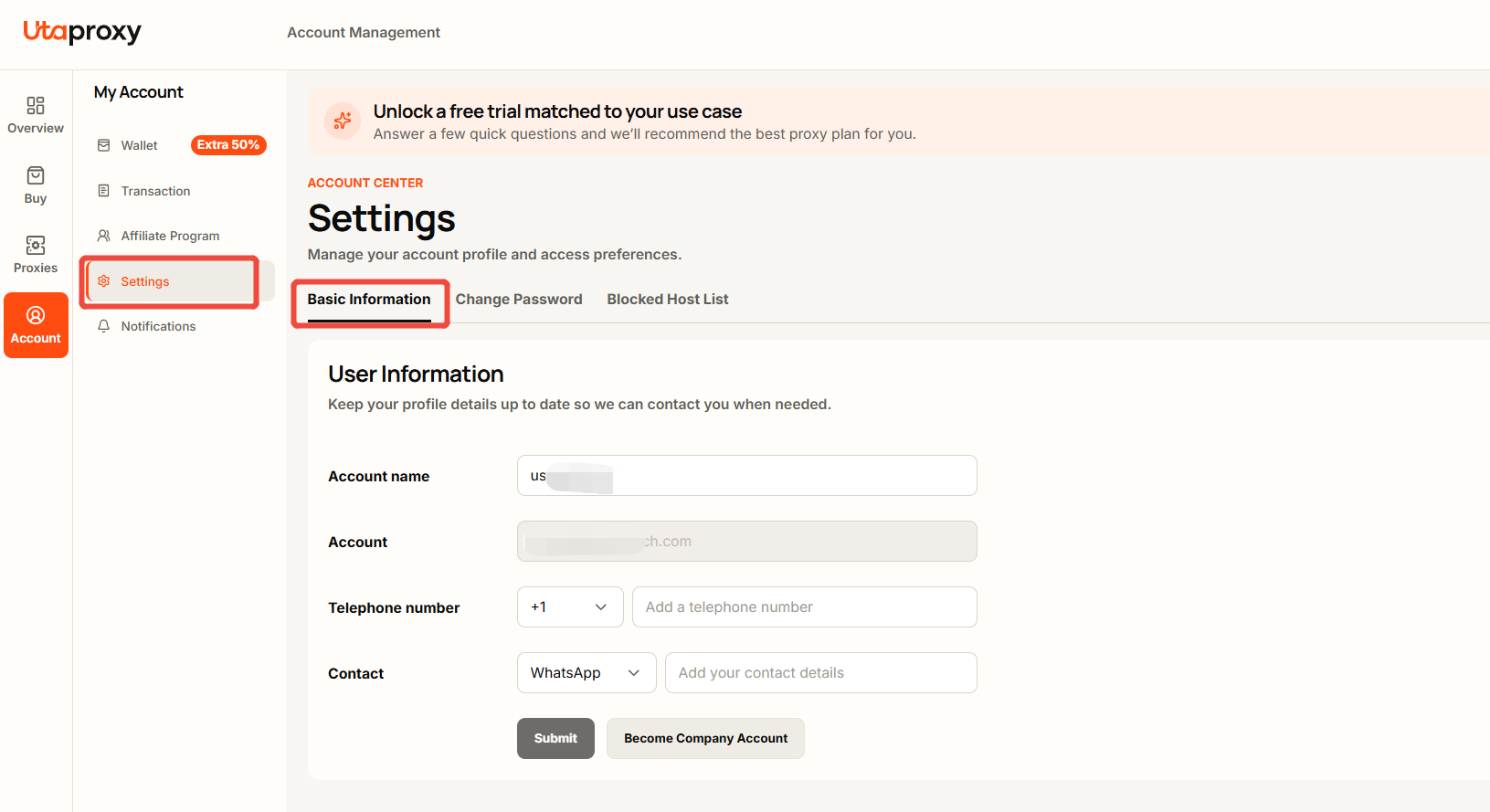
Step 5: Click Submit to save your changes.
Was this article helpful?
Your response helps us keep this guide clear and accurate.
Rate this article