








Google Ads Competitor Analysis: 4 Methods That Work
Your rivals are testing new ads right now. 🔍 Every new headline, offer, and landing page changes the auction you compete in.
A strong Google Ads competitor analysis shows you what they bid on, what they say, and where they send traffic. You can then spend your budget with more confidence. 💰
There is one catch. Manual checks are slow and often misleading. Google personalizes results, and advertisers can limit where their ads appear. So you need a clear framework and the right way to check local results. Tools like residential proxies can help with the second part.
⚡ Key Takeaways
- What to track: keywords, ad copy, extensions, landing pages, offers, and target locations.
- Why it gets tricky: ads vary by location, device, and user. Advertisers can also exclude IP addresses and regions.
- A practical fix: check results from the locations you care about. Use UtaProxy Competitor Analysis Proxies to view local search results through real residential IPs.
- Stay compliant: follow Google's terms and local laws. Never click rival ads to "test" them.
First, let's look at why this work pays off.
Why Monitor Your Google Ads Competitors?
Google Ads is an auction. When a rival changes bids, copy, or offers, your results can shift too. You may see changes in impression share, click-through rate (CTR), and cost per click (CPC). 📈
Competitor monitoring helps several teams:
- PPC specialists and media buyers 🎯: find keyword gaps and test new ad angles.
- E-commerce brands 🛒: track rival prices, promotions, and Shopping ads during sales seasons.
- Agencies 📊: audit new accounts and benchmark clients against their market.
- SaaS growth teams 💻: compare positioning, free-trial offers, and landing page messaging.
Next, let's define what a good analysis includes.
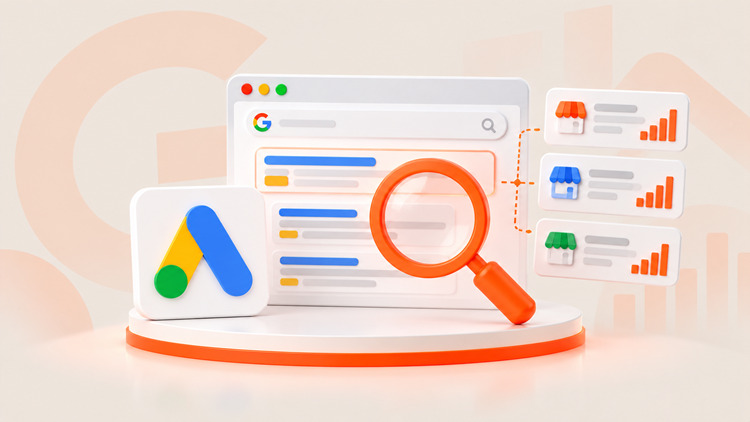
What Is Google Ads Competitor Analysis?
It is the habit of studying how rivals advertise across the whole funnel. It goes far beyond one screenshot of a search ad. 📸
A complete review covers:
- Search themes: the queries and intents they appear to target.
- Ad copy: headlines, descriptions, and calls to action.
- Extensions and assets: sitelinks, callouts, images, and promotions.
- Landing pages: layout, offer, form length, and trust signals.
- Targeting clues: which regions and audiences see their ads.
Why guesswork falls short in 2026
Google Ads leans heavily on automation. Smart Bidding, broad match, and Performance Max all decide ad delivery in real time. That makes it harder to guess what a rival is doing. 🤖
Regular audits replace guesses with evidence. You spot new offers, new keywords, and new market entrants sooner.
Ready to See the Real Search Results in Your Target Markets? 🌐
Test local ad visibility with UtaProxy. Pick a location, run your first check, and compare it with what you see today. Get set up in minutes and make your next audit more complete.
Here is a quick comparison of the four main methods:
| Method | Main benefit | Main limitation | Best for |
|---|---|---|---|
| 1. Manual SERP checks | Free; shows live ads | Personalized results; slow at scale | Quick spot-checks |
| 2. Google's free tools | Official data; no extra cost | No bids, budgets, or conversion data | Impression share and creative review |
| 3. Paid intelligence platforms | Historical keywords and ad copy | Estimated data; may lag or miss local ads | Market research and keyword gaps |
| 4. Automated monitoring | Repeatable, scheduled checks | Needs technical setup and compliance care | Ongoing tracking at scale |
Now let's walk through each method.
4 Ways to Track Your Competitors' Google Ads
1. Manual Searching and SERP Review 🔎
Search your target keywords and note who shows up. Read the headlines. Click through to the landing pages only when you need to review the page itself, and avoid repeat clicks on rival ads.
- Pros: free, fast, and easy to start.
- Cons: results are personalized by location, device, and search history. Repeated searches from one IP can also trigger "unusual traffic" checks. Ads you do not see may still be running elsewhere.
2. Google's Free Tools 🆓
1. Auction Insights report: available in your Google Ads account for supported campaign types such as Search and Shopping. It shows metrics like impression share, overlap rate, position above rate, and top of page rate against other advertisers in the same auctions.
2. Google Ads Transparency Center: a public tool where you can look up a verified advertiser and see ads it has run. Use it to review creatives and formats.
- Pros: official Google sources and free to use.
- Cons: neither tool shows competitor bids, budgets, conversion data, or full targeting settings.
3. Paid Competitor Intelligence Tools 💼
1. Semrush: offers advertising research, keyword gap analysis, and estimated ad history.
2. SpyFu: offers historical keyword and ad copy data by domain.
- Pros: great for market-level research and finding keyword gaps.
- Cons: figures such as spend and traffic are estimates. Data can lag, and very local ad variations may not appear.
4. Automated Monitoring ⚙️
Larger teams schedule regular checks of key search results. They archive ad copy and track landing page changes. Some use SERP data providers. Others build their own tools.
- Pros: consistent, repeatable tracking and faster alerts on changes.
- Cons: it needs technical resources. Automated querying of Google Search can conflict with Google's terms, so review them first and consider licensed SERP data providers. Always follow applicable laws.
So why do even careful checks sometimes miss the real ads? Let's look at that next.
Why Your Competitor Checks May Miss the Real Ads
You may be looking at the wrong version of the results. Here is why. 🤔
Personalization and location 📍
Google tailors results to location, language, device, and past behavior. A search from your office can differ from one in another city or country. Local service businesses often target specific cities or postal codes. Outside that area, you may never see their ads.
IP exclusions 🚫
Google Ads lets advertisers exclude specific IP addresses from seeing their ads. Some advertisers use this to hide ads from known competitor or agency networks. So an ad that exists may not show up for you.
Repeated searches from one IP ⚠️
Running many searches from one network can trigger CAPTCHAs or temporary limits. That slows your research and can distort what you see.
💡 Editor's Note: If you audit foreign or hyper-local campaigns from a single office IP, treat your results as one view, not the full picture.
See Local Ads More Clearly with Residential Proxies
This is where network tools help. A residential proxy routes your request through an IP address assigned to a real home or mobile connection. 🏠
View results like a local user 🌍
Pick the city or country you want to study, such as New York, London, or Tokyo. You can then compare the ads, extensions, and prices shown in each market. This helps when you plan regional campaigns or check whether rivals localize their offers.
Spread your checks across many IPs 🔄
Rotating IPs lets you spread legitimate monitoring across many addresses. That reduces rate-limit interruptions. It does not remove Google's terms or any applicable rules. Keep your request volume reasonable and respect each site's policies.
Why teams choose UtaProxy ✅
UtaProxy offers 100M+ residential IPs in 200+ locations, built for ad verification and market research. Your team can check how search results look in each target market. It fits spot checks, regional audits, and ongoing monitoring workflows.
Want to Check Competitor Ads in Any Market? 🚀
See what real users in your target cities see. Route your market audits through UtaProxy Competitor Analysis Proxies and compare ads, offers, and landing pages by location. Start with one market, then expand.
With the tools in place, let's turn to process.
Best Practices for a Google Ads Competitor Audit
- Start before peak season 🗓️: many advertisers change creative and budgets ahead of big sales periods. Begin tracking a few weeks early so you can spot patterns.
- Look at themes, not just keywords 🧩: with broad match and Performance Max, keyword lists tell only part of the story. Track messaging angles, offers, and landing page approaches too.
- Audit on a schedule ⏱️: weekly or bi-weekly reviews catch new entrants and ad tests faster than one-off checks.
- Record what you find 📝: save dates, locations, devices, and screenshots. Context makes your notes useful later.
- Do not click rival ads 🙅: clicks cost advertisers money and may count as invalid activity. Use the Transparency Center or landing page URLs where you can.
- Turn insights into tests ✅: use each finding to plan an ad, offer, or landing page test of your own.
Finally, here are answers to common questions.
Frequently Asked Questions
Q1: Can I track Google Ads competitors for free?
Yes, to a degree. The Auction Insights report and the Google Ads Transparency Center are free. They show impression share overlap and ad creatives. They do not show bids, budgets, or conversions, so many teams add other tools for deeper research.
Q2: Why do I need proxies to look at competitor ads?
You may not need them for a quick check. Proxies help when you want to see how results differ by location, or when you run many checks. They also help if an advertiser excludes your office IP. Always use them within Google's terms and applicable laws.
Q3: Why can't I see a competitor's ad that I know is running?
The ad may target another region, device, or audience. It may also be limited by schedule or budget. Or the advertiser may have excluded your IP address. Try checking from the right location and at different times of day.
Q4: Which proxy type is best for ad verification?
Rotating residential proxies are a common choice. Their IPs come from real consumer connections, so results are closer to what local users see. Datacenter IPs are more likely to be treated differently by some sites.
Q5: Is it legal to analyze competitors' Google Ads?
Viewing public ads is generally normal market research. Rules still apply to how you collect data. Review Google's terms, respect local laws, and avoid actions like click fraud.
Final Verdict
Strong PPC decisions start with good information. 🎯 Combine a clear audit framework with Google's free tools and a paid research platform. Then add location-based checks to see what each market really sees.
Daniel Carter
Proxy & Web Data Specialist
Daniel Carter is a Proxy & Web Data Specialist at UtaProxy, focusing on proxy technology, web data collection, and online infrastructure. He writes practical guides and in-depth insights to help businesses understand proxy solutions, choose the right proxy type, and build more reliable data workflows.
You May Also Be Interested
How to Track Competitor Prices at Scale (Without Getting Blocked)
Learn how to track competitor prices automatically. Compare 3 methods, build a scraper, avoid 403 errors and CAPTCHAs, and pick the right proxies.

How to View Google Search Results From Another Country: The Step-by-Step Guide
Want to see Google results from another country? Learn 8 methods that still work in 2026: settings, gl/uule URLs, DevTools, VPNs & proxies.