








How to Use Datacenter Proxy?
Last updated: 2026-10-31 16:45:18
Datacenter Proxies are simple to set up and use. Follow the steps below to get started:
For Static Datacenter Proxies
Step 1: Apply for a free trial or place an order directly on the UtaProxy platform to get started.
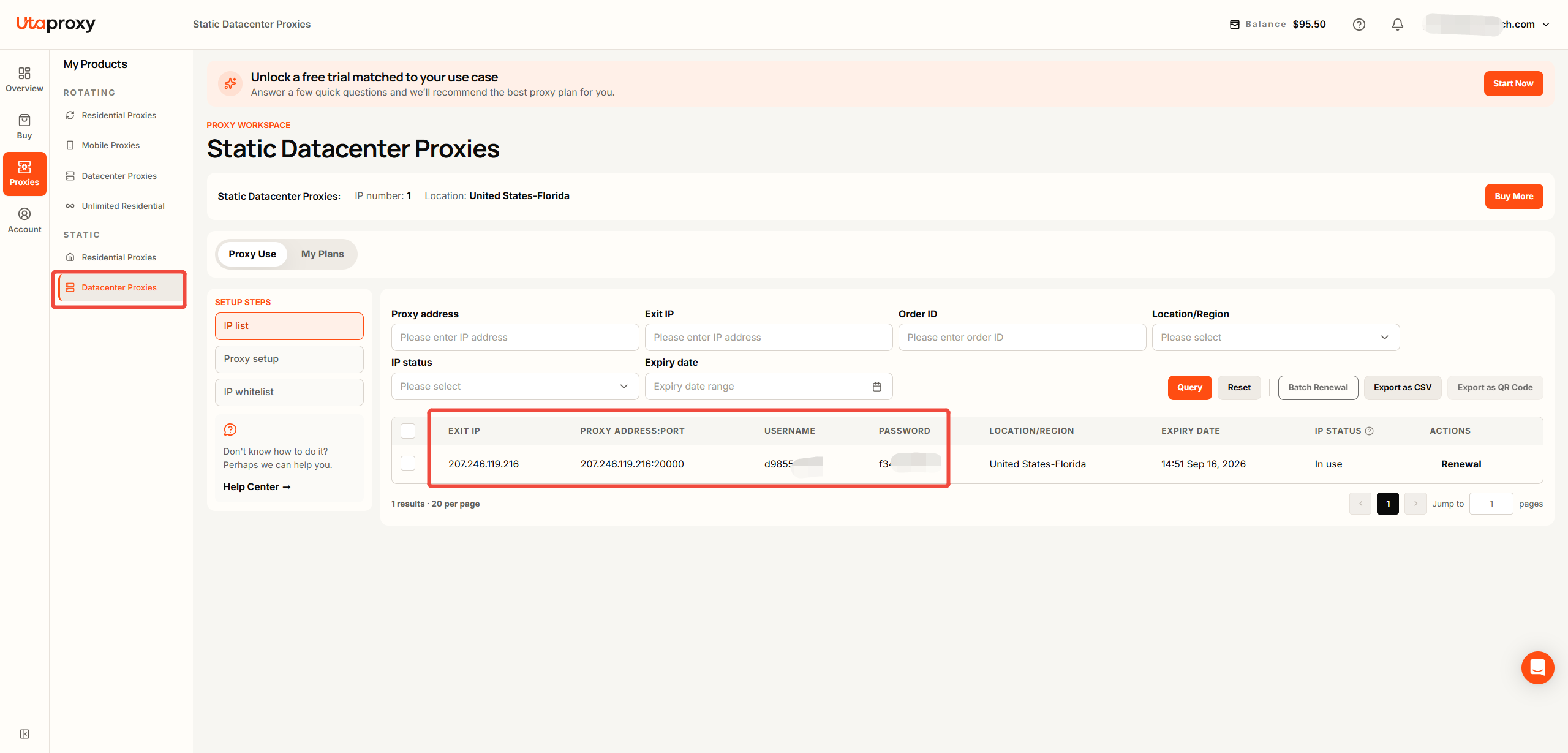
Step 2: Navigate to "Proxies" → "Static Datacenter Proxies" → "IP List" to retrieve your IP address, port, username, and password.
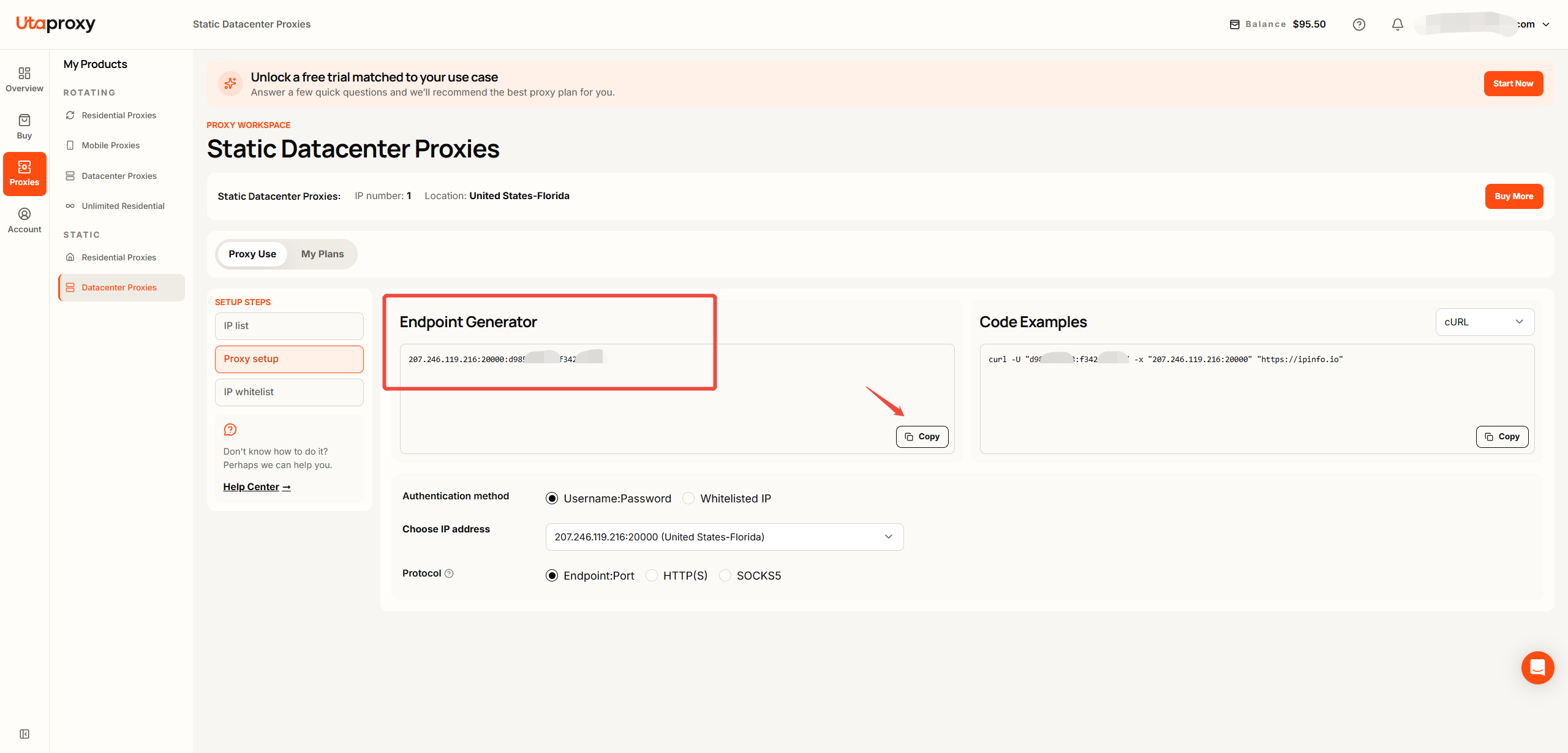
Step 3: Alternatively, navigate to "Proxy Setup" > Endpoint Generator to select your preferred output format and generate the proxy code for integration into your use case.
For Rotating Datacenter Proxies
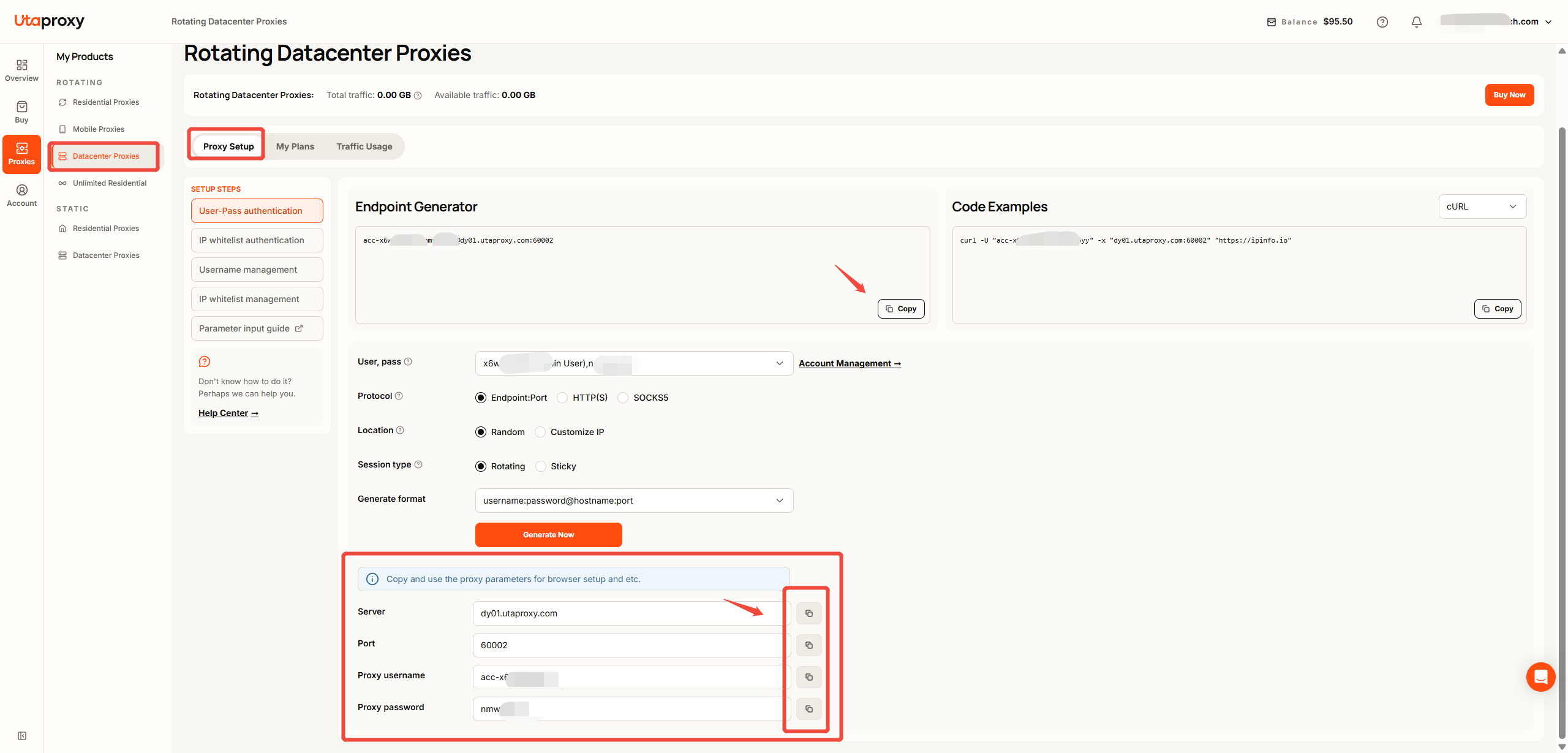
Navigate to "Proxies" → "Rotating Datacenter Proxies" → "Proxy Setup"> Endpoint Generator to obtain your server, port, username, and password. You can also choose your desired output format and generate the proxy code for integration.
Was this article helpful?
Your response helps us keep this guide clear and accurate.
Rate this article