SOCKS vs HTTP Proxy: Which Protocol Fits Your Project?
Picking the wrong proxy protocol is a fast way to waste an afternoon. 😩 You get sudden connection failures. You hit confusing HTTPS handshake errors. Or your UDP traffic simply never arrives.
So what is the real difference between a SOCKS and an HTTP proxy? It comes down to scope.
HTTP proxies understand web traffic. They read HTTP requests, so they can filter, cache, and route them. They tunnel HTTPS through the CONNECT method. SOCKS proxies do not care what is inside the traffic. They forward any TCP connection, and they can relay UDP too. 🌐
⚡ Key Takeaways
- HTTP/HTTPS proxies: Built for web traffic. Best for web scraping, SEO monitoring, ad verification, and API requests. 🕷️
- SOCKS5 proxies: Protocol-agnostic. Best for non-web apps, P2P, gaming, VoIP, and anything that needs UDP. 🎮
- Quick rule: Working with web pages? Use an HTTP proxy. Working with other protocols or UDP? Use SOCKS5. ✅
- Common myth: SOCKS5 is not "more secure" or "more anonymous" by default. Neither protocol encrypts your traffic on its own. 🔓
Let us start with a quick foundational review before comparing the two protocols in detail. 👇
🔰 Proxy Basics Review
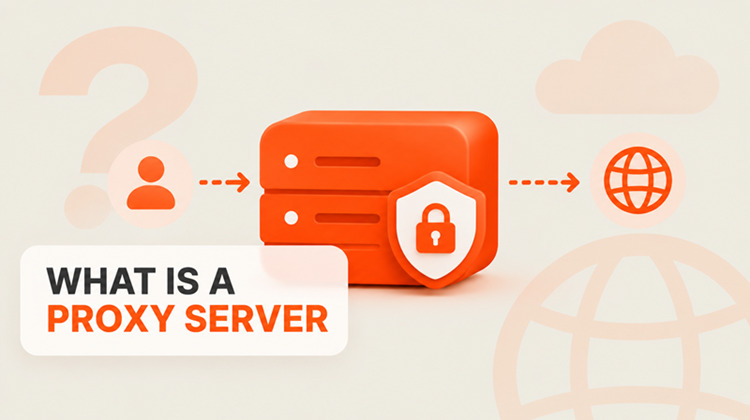
A proxy is an intermediary between your device and the destination server. Your request goes to the proxy first. The proxy then forwards it to the target. The target sees the proxy's IP address, not yours.
That is the core idea behind every proxy type. The protocol decides how the proxy talks to your app and what it can do with your traffic.
For more details on how proxy infrastructure operates, check out our comprehensive guide on what is a proxy server.
Now, let us examine how HTTP proxies work behind the scenes. 🔍

🌍 What Is an HTTP Proxy? (How It Works)
An HTTP proxy is an application-layer proxy. It speaks HTTP with your client. It is built for web traffic.
How an HTTP proxy handles plain HTTP
The proxy reads your request line, headers, and cookies. Because it understands the request, it can:
- Cache responses to save bandwidth 💾
- Filter or block domains 🚫
- Add, remove, or rewrite headers ✏️
- Log requests for auditing 📋
How an HTTP proxy handles HTTPS: the CONNECT method
HTTPS traffic is encrypted with TLS, so the proxy cannot read it. Instead, your client sends a CONNECT example.com:443 request. The proxy opens a TCP tunnel to that host and port. After that, it relays encrypted bytes in both directions. 🔐
The proxy still knows which host you connect to. It just cannot see the page content, URLs, or headers inside the tunnel.
Pros and cons of HTTP proxies
- ✅ Pros: Supported almost everywhere. Easy to set up. Can cache, filter, and modify plain HTTP traffic. The default choice for most scraping tools.
- ❌ Cons: Limited to web traffic. Cannot carry non-HTTP protocols such as raw TCP apps or UDP streams.
Next, let us look at how SOCKS proxies operate at a deeper network level. ⬇️
🧦 What Is a SOCKS Proxy? (How It Works)
SOCKS stands for Socket Secure. A SOCKS proxy relays raw connections. It does not read, parse, or change the data inside them.
The protocol is defined in RFC 1928. It sits between the application layer and the transport layer, which is why it is often described as a session-layer (Layer 5) protocol.
SOCKS4 vs SOCKS5
- SOCKS4: The older version. It supports TCP over IPv4. It has no real authentication, only a user ID field. (A later extension, SOCKS4a, added domain-name support.)
- SOCKS5: The modern standard. It supports TCP and UDP, IPv4 and IPv6, domain names, and several authentication methods: no authentication, username/password, and GSSAPI.
How SOCKS5 handles traffic
The process has three steps:
- Handshake: Your client and the proxy agree on an authentication method. 🤝
- Authentication: If required, you send a username and password. 🔑
- Request: Your client asks the proxy to connect to a target (TCP) or to relay datagrams (UDP). The proxy then forwards the bytes. 📦
The proxy never inspects the payload. That makes SOCKS5 flexible. It also means it cannot cache or filter web content.
Important: SOCKS5 does not encrypt your traffic
This is the most common misunderstanding. 🚨 SOCKS5 only relays data. If the app sends plain text, the plain text travels through the proxy. SOCKS5 is not a VPN. A VPN encrypts and routes traffic for your whole device. A SOCKS5 proxy only handles the apps you point at it.
Let us compare the structural differences under the hood. 🛠️
🔬 Under the Hood: SOCKS vs HTTP Proxy (Technical Comparison)
Review the comparison table below before we dig into the details.
| Feature | HTTP / HTTPS Proxy | SOCKS5 Proxy |
|---|---|---|
| OSI layer | Application layer (Layer 7) | Session layer (Layer 5), between application and transport |
| Understands your traffic? | Yes. Reads HTTP headers, URLs, and cookies (plain HTTP only) | No. Forwards raw bytes |
| Supported traffic | HTTP, plus HTTPS through CONNECT |
Any TCP traffic, plus UDP via UDP ASSOCIATE |
| Authentication | Usually Proxy-Authorization header (often Basic) |
No auth, username/password, or GSSAPI |
| DNS resolution | Proxy resolves the target hostname | Depends on the client: socks5:// resolves locally, socks5h:// resolves on the proxy |
| Caching and filtering | Possible for plain HTTP | Not possible |
| Speed and overhead | Slightly higher (parses requests) | Slightly lower (relays bytes) |
| Built-in encryption | No (HTTPS is protected by TLS inside the tunnel) | No (the app must bring its own encryption) |
| Typical use cases | Web scraping, SERP tracking, API calls, ad verification | P2P, gaming, VoIP, FTP, non-HTTP apps |
The differences that matter most
- Layer placement 🧱: An HTTP proxy understands web logic. SOCKS5 handles raw connections, whatever the payload.
- Traffic awareness 👀: HTTP proxies can cache and filter plain HTTP. SOCKS5 treats everything as bytes.
- UDP 📡: This is the biggest gap. HTTP proxies cannot carry UDP. SOCKS5 can, if your client and your provider both support it.
- Authentication 🔐: Both support username and password. Neither encrypts those credentials by default, so use a trusted provider and secure channels.
- Speed ⚡: SOCKS5 has a small edge in theory. In practice, the gap is often just a few milliseconds. Server quality and network distance matter far more than protocol.
One more difference deserves its own section, because it quietly breaks privacy for many users. 👇
🕵️ DNS Handling: socks5 vs socks5h
When you visit example.com, someone has to turn that name into an IP address. Who does it depends on your setup.
- HTTP proxy: Your client sends the hostname to the proxy. The proxy resolves it.
socks5://: Your machine resolves the hostname first, then sends the IP to the proxy. Your local DNS resolver sees every domain you visit. 😬socks5h://: The "h" means hostname. Your client sends the hostname to the proxy, and the proxy resolves it. 👍
💡 Editor's Tip: If you use SOCKS5 for scraping or privacy, default to
socks5h://. It prevents your local ISP or resolver from logging the domains you query. Some providers even require remote DNS.
Now, let us examine when you should choose an HTTP/HTTPS proxy for your specific tasks. 🎯
🕷️ When to Choose an HTTP/HTTPS Proxy
HTTP proxies shine when your work revolves around websites and web APIs.
1. Web scraping and data collection
Almost every scraper, automation tool, and browser extension supports HTTP proxies natively. Setup is usually a single URL.
2. SEO and SERP monitoring 📈
Tracking keyword rankings on Google or Bing means sending standard web requests. HTTP proxies handle that cleanly.
3. Ad verification and price monitoring 🏷️
You need to see pages the way local users see them. Pair HTTP proxies with geo-targeted IPs and you get exactly that.
4. Content caching 💾
Enterprise networks cache frequently requested pages and images. That saves bandwidth and speeds up repeat visits.
5. Content filtering and web policy 🏢
IT teams use HTTP proxies to block domains, monitor web usage, and enforce access rules on internal networks.
Conversely, let us explore the scenarios where a SOCKS5 proxy is the better choice. 🔄
🎮 When to Choose a SOCKS5 Proxy
Choose SOCKS5 when your traffic is not just web pages.
1. Non-web TCP traffic
FTP, SSH, SMTP, and custom TCP apps do not speak HTTP. An HTTP proxy cannot carry them. SOCKS5 can. 📂
2. UDP traffic 📡
VoIP, real-time gaming, and some streaming and DNS workloads rely on UDP. SOCKS5 is the only one of the two that can relay it. Always confirm your provider supports UDP, because many proxy services only offer TCP.
3. Peer-to-peer apps 🔁
Torrent clients like qBittorrent can route traffic through a SOCKS5 proxy. Check the client's settings so that tracker and peer traffic actually use the proxy.
4. Multi-account and anti-detect browser setups 🧑💻
Anti-detect browsers commonly accept SOCKS5 as well as HTTP proxies. SOCKS5 gives you a clean, protocol-neutral tunnel. Keep in mind that it does not hide browser fingerprints. Your IP is only one signal.
5. Mixed-protocol workflows 🧩
One SOCKS5 endpoint can serve a browser, an FTP client, and a custom tool at the same time. That simplifies configuration.
Not sure which side your project falls on? Use the quick guide below. 👇
🧭 Quick Decision Guide: SOCKS vs HTTP Proxy
| Your task | Best choice | Why |
|---|---|---|
| Scraping websites | HTTP/HTTPS | Native support in nearly every tool |
| SEO rank tracking | HTTP/HTTPS | Standard web requests |
| Ad or price verification | HTTP/HTTPS | Web-only, easy geo-targeting |
| Browsing in a regular browser | Either | Both work; HTTP is simpler to configure |
| FTP, SSH, or other TCP apps | SOCKS5 | Not HTTP traffic |
| Gaming or VoIP | SOCKS5 | UDP support (confirm with your provider) |
| P2P and torrents | SOCKS5 | Protocol-agnostic relay |
| Hiding domain lookups from your ISP | Either | HTTP proxies resolve remotely; with SOCKS5 use socks5h:// |
Still undecided? Start with HTTP for web work and SOCKS5 for everything else. ✅ Next, let us answer a common configuration question about protocol interchangeability. 🔧
🔀 Can You Use SOCKS and HTTP Proxies Interchangeably?
Not always. Each client expects a specific protocol.
- A client that supports SOCKS5 can send web traffic through a SOCKS5 proxy. That works because SOCKS5 relays any TCP stream.
- A client that only supports HTTP proxies cannot talk to a SOCKS5 server. The two protocols use different handshakes.
- If your settings ask for an HTTP proxy URL, give it an
http://address. If you point it at a SOCKS5 port, the connection fails.
Always match the scheme (http://, socks5://, or socks5h://) to the port your provider gave you. 🎯
📱 Which Apps Support HTTP and SOCKS5 Proxies?
- Web browsers: Firefox lets you set an HTTP or SOCKS5 proxy in its network settings. Chrome-based browsers follow system proxy settings or launch flags. Authenticated SOCKS5 usually needs an extension or a local forwarding tool.
- Scraping tools and libraries: Python
requests, Scrapy, Selenium, and Puppeteer all handle HTTP proxies well. SOCKS5 support often needs an extra package, such asrequests[socks]. - Torrent clients: qBittorrent and similar clients support SOCKS5 in their connection settings.
- Command-line tools:
curlsupports both. Use-xwithhttp://orsocks5h://URLs.
Let us look at practical code examples that show how to configure both protocols. 💻
🐍 How to Configure HTTP vs SOCKS5 Proxies in Code (Python Example)
Configuring a proxy in Python with the popular requests library is simple for both formats.
Python requests example: HTTP proxy
import requests

proxies = {
    "http": "http://user:pass@proxy_ip:port",
    "https": "http://user:pass@proxy_ip:port",
}

response = requests.get("https://ipinfo.io", proxies=proxies, timeout=15)
print(response.json())
Note that the https key still uses an http:// proxy URL. The key describes the destination, not the proxy protocol.
Python requests example: SOCKS5 proxy
# Install first: pip install "requests[socks]"
import requests

proxies = {
    "http": "socks5h://user:pass@proxy_ip:port",
    "https": "socks5h://user:pass@proxy_ip:port",
}

response = requests.get("https://ipinfo.io", proxies=proxies, timeout=15)
print(response.json())
We use socks5h:// here so the proxy resolves DNS. 🔒
curl examples
# HTTP proxy
curl -x "http://user:pass@proxy_ip:port" https://ipinfo.io

# SOCKS5 proxy with remote DNS
curl -x "socks5h://user:pass@proxy_ip:port" https://ipinfo.io
Things not working? The next section covers the most common problems. 🩺
🩺 Common Errors and Quick Fixes
- "Missing dependencies for SOCKS support" in Python: Install the extra package with
pip install "requests[socks]". 📦 - Connection reset or handshake failure: You probably used the wrong scheme for the port. Check whether the port is HTTP or SOCKS5. 🔌
- Authentication errors: Re-check the username and password, and URL-encode special characters in the proxy URL. 🔑
- Your real IP shows up: Confirm the client actually uses the proxy for both HTTP and HTTPS. Test with an IP-check page. 🧪
- UDP app not working: Confirm that both your app and your provider support SOCKS5 UDP. Many do not. 📡
- Domains leaking to your local DNS: Switch from
socks5://tosocks5h://. 🕵️
If you need reliable proxy infrastructure that supports both protocols, let us look at UtaProxy. 🚀
🚀 Need Both Protocols? Get HTTP and SOCKS5 with UtaProxy
Your tech stack should decide your protocol. Your provider should not. Today you might scrape with HTTP. Tomorrow you might need SOCKS5 for a non-web tool. Switching providers each time slows you down.
UtaProxy supports HTTP/HTTPS and SOCKS5 across its rotating residential proxies, static ISP proxies, and mobile proxies. Pick the network that fits your target. Pick the protocol that fits your app. ✅
👉 Ready to Run Your Workflow on the Right Protocol?
Explore UtaProxy's proxy networks and set up your endpoints in minutes.
Review the quick answers below for common questions about SOCKS and HTTP proxies. 👇
❓ Frequently Asked Questions (FAQ)
Q1: Is SOCKS5 faster than an HTTP proxy?
Slightly, in theory. SOCKS5 does less work per request because it does not parse headers. In real use, the gap is small. Server hardware, bandwidth, and distance to the target usually matter much more. A well-run HTTP proxy beats a weak SOCKS5 proxy. ⚡
Q2: Is SOCKS5 more secure than an HTTP proxy?
Not by itself. Neither protocol encrypts your traffic. For HTTPS sites, TLS protects your data end to end, whichever proxy you use. For plain HTTP, an HTTP proxy can read the traffic, while SOCKS5 simply relays it. Your real security depends on encryption in the app and on how trustworthy the provider is. 🔐
Q3: Is SOCKS5 more anonymous than an HTTP proxy?
Not automatically. A poorly configured HTTP proxy can add headers that reveal proxy use. A good provider strips them. SOCKS5 does not add HTTP headers, but your browser fingerprint, cookies, and DNS settings can still identify you. 🎭
Q4: Can an HTTP proxy handle SOCKS traffic?
No. An HTTP proxy cannot interpret SOCKS handshakes. Sending SOCKS traffic to an HTTP proxy port causes a connection failure. ❌
Q5: Can an HTTP proxy handle UDP?
No. Standard HTTP proxies relay HTTP and TCP tunnels only. For UDP, use a SOCKS5 proxy that supports UDP ASSOCIATE. 📡
Q6: Which is better for web scraping: SOCKS5 or HTTP proxy?
For most web scraping, an HTTP proxy is the simpler choice. Tools support it natively. For HTTPS sites, both protocols end up tunneling encrypted TCP, so the practical difference is small. Choose SOCKS5 when your tool needs it or when you work with non-HTTP protocols. 🕷️
Q7: Is a SOCKS5 proxy the same as a VPN?
No. A VPN encrypts and routes all device traffic. A SOCKS5 proxy only handles the apps you configure, and it adds no encryption. 🛡️
🏁 Final Verdict: SOCKS vs HTTP Proxy
The right choice comes down to what your traffic looks like.
- 🌐 Web scraping, SEO monitoring, and API requests: choose an HTTP/HTTPS proxy.
- 🎮 Non-web apps, UDP, P2P, and mixed protocols: choose a SOCKS5 proxy.
- 🔒 Using SOCKS5? Prefer
socks5h://to keep DNS lookups off your local network. - ⚠️ Need privacy or encryption? Do not rely on the proxy protocol alone.
🚀 Get Your Proxy Endpoints Running
Want HTTP and SOCKS5 support from one provider? Visit UtaProxy and start building on the protocol that fits your project.

Daniel Carter
Proxy & Web Data Specialist
Daniel Carter is a Proxy & Web Data Specialist at UtaProxy, focusing on proxy technology, web data collection, and online infrastructure. He writes practical guides and in-depth insights to help businesses understand proxy solutions, choose the right proxy type, and build more reliable data workflows.