








Best CAPTCHA Proxies in 2026: How to Avoid Challenges and Choose the Right Provider
Running web scrapers, automation scripts, or price monitors? Then you know the pain. 😩 One minute your pipeline runs fine. The next, it hits a wall of reCAPTCHA, Geetest, or Cloudflare Turnstile challenges.
Modern bot-management systems and web application firewalls (WAFs), such as Cloudflare, DataDome, and Akamai, score every request. If your traffic looks suspicious, they show a verification puzzle.
The smarter fix is not just solving CAPTCHAs after they appear. It is avoiding as many of them as possible. The best CAPTCHA proxies route your requests through clean, high-trust IP addresses, such as rotating residential or static ISP proxies. That keeps your traffic looking like ordinary visitor traffic and lowers your chance of being challenged. ✅
⚡ Key Takeaways
- Core purpose: CAPTCHA proxies give your automated requests a trustworthy IP reputation, so security systems have less reason to show verification puzzles.
- Best proxy type: Rotating residential proxies suit large-scale public data collection. Static ISP proxies suit session-based workflows. 🏠
- Proxies are one layer, not a magic switch: Browser fingerprints, TLS signatures, and request behavior also matter. No provider can promise zero CAPTCHAs.
- Our pick: UtaProxy offers a 100M+ IP pool across 200+ locations, flexible plans, and unlimited residential proxy packages with predictable, time-based pricing. 🎯
Disclosure: this guide is published by UtaProxy. We list competitors fairly and note where they may fit you better. Provider figures were checked in October 2026 against official pages and independent reviews, but pricing changes often, so confirm on each provider's site before you buy.
Why Do Websites Show CAPTCHAs? What Are CAPTCHA Proxies?
CAPTCHA stands for "Completely Automated Public Turing test to tell Computers and Humans Apart." Security systems show these puzzles when a request looks bot-like or comes from a risky IP address.
Why Do Websites Challenge Your Scrapers? 🤖
Modern anti-bot systems score every request using many signals. Four of the most common are:
- IP reputation: Is your IP on a blocklist, or does it have a history of spam or aggressive automation?
- ASN type: Traffic from cloud hosting networks is usually treated as higher risk than traffic from home broadband or mobile carriers.
- TLS (JA3/JA4) and browser fingerprints: A mismatch between your User-Agent and your TLS handshake can reveal headless automation.
- Request velocity: Dozens of requests from one IP in seconds can trip rate limits and trigger a challenge.
Behavior also counts. Mouse movement, cookies, and page timing all feed the score. A CAPTCHA usually appears only when the combined score drops below the site's threshold.
How CAPTCHA Proxies Help 🛡️
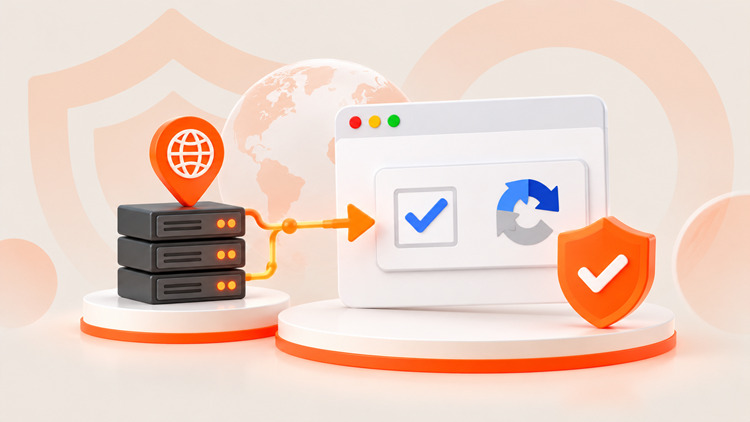
A good CAPTCHA proxy network helps in two ways:
- Better IP reputation: Requests exit through consumer ISP or 4G/5G mobile networks. Those IP ranges usually carry more trust than datacenter ranges.
- Spread-out request volume: Rotating pools distribute traffic across many IPs. That makes it much less likely that any single IP hits a rate limit.
Now let us compare how each proxy network type handles CAPTCHA avoidance.
Which Proxy Type Works Best Against CAPTCHAs?
Your proxy type has a big impact on how often you get challenged. Here is how the four main types compare:
- Datacenter proxies 🖥️: Very fast and low-cost. But their hosting ASNs are easy to detect, so they trigger more CAPTCHAs on protected sites.
- Rotating residential proxies 🏠: Traffic exits through real home-broadband IPs. This is the usual choice for large-scale public data collection.
- Static residential (ISP) proxies 🔒: Fixed IPs registered to an ISP, hosted on fast infrastructure. They keep sessions stable for logins and multi-step flows.
- Mobile 4G/5G proxies 📱: Carrier IPs are shared by many real users, so sites tend to be cautious about blocking them. They are typically the most trusted option, and the most expensive.
Review the comparison table below as a general guide:
| Proxy Type | Trust Level | CAPTCHA Frequency | Speed | Typical Cost | Best Use Case |
|---|---|---|---|---|---|
| Datacenter | Low | High on protected sites | Very fast | Lowest | Sites without strict anti-bot rules |
| Rotating residential | High | Low | Moderate | Medium (usually per GB) | Large-scale scraping, SERP checks, price tracking |
| Static ISP | High | Low | Fast | Medium (usually per IP) | Long sessions, account workflows, forms |
| Mobile 4G/5G | Highest | Lowest | Moderate | Highest | Mobile-first platforms, strict anti-bot targets |
Proxies are only part of the picture, so let us look at how they differ from CAPTCHA solvers and unblocking APIs.
CAPTCHA Proxies vs. CAPTCHA Solvers vs. Unblocking APIs
These three tools are often confused. They solve different problems:
- CAPTCHA proxies 🌐: Improve your network reputation so fewer challenges appear. They do not solve puzzles.
- CAPTCHA solvers 🧩: Services such as 2Captcha or CapSolver solve a challenge after it appears. You pay per solve.
- Unblocking APIs 🔓: Managed products, such as Bright Data's Web Unlocker, bundle proxies, fingerprint handling, and solving into one API billed per successful request.
For most teams, the cost-effective order is simple: prevent first, solve second. Start with clean proxies. Add a solver only for the edge cases that remain.
Let us look at the leading proxy providers and how they compare on key features.
Top CAPTCHA Proxy Providers Compared (2026 Reviews)
When you evaluate a provider, check these factors:
- IP types: Datacenter, residential, static ISP, and mobile coverage.
- Pool size and locations: Countries, cities, and ASN targeting options.
- Protocols: HTTP, HTTPS, and SOCKS5 support.
- Performance: Success rate and response time on your target sites.
- Trial and pricing model: Pay-per-GB, per-IP, subscription, or time-based unlimited plans.
| Provider | Residential Pool | Entry Pricing (Residential) | Trial | Best For |
|---|---|---|---|---|
| UtaProxy | 100M+ IPs, 200+ countries & locations (all proxy types) | Per-GB plans, plus unlimited plans from $45 / 2 hours | Free trial on standard plans | Value, flexibility, heavy workloads |
| Bright Data | 400M+ IPs, 195 countries | About $4–8/GB pay-as-you-go (list vs. promo) | Credit-based, after verification | Enterprise, built-in unblocking |
| Oxylabs | 175M+ IPs, 195 countries | Roughly $4–8/GB depending on plan and promo | On request (business-focused) | Large corporate data operations |
| Decodo (formerly Smartproxy) | 125M+ IPs, 195+ countries | From about $4/GB; lower at volume | 3-day trial (100 MB) | Mid-market teams |
| Scrapeless | 90M+ IPs, 195+ countries | Residential advertised from about $1.80/GB | Free test credits | Developers who prefer managed APIs |
| IPRoyal | 64M+ IPs, 195 countries | Higher at small volumes, down to about $1.75/GB in bulk | No standard residential trial | Small, irregular jobs |
1. UtaProxy: Best for Flexible Plans and Predictable Costs 🏆
UtaProxy is a proxy network built for teams that want clean IP pools, flexible plans, and predictable costs without heavy enterprise contracts.
- IP types: Rotating residential, static residential (ISP), rotating and static datacenter, rotating mobile, and unlimited rotating residential proxies.
- Pool and reach: 100M+ IPs across 200+ locations, with country, state, and city-level targeting.
- Protocols and tools: HTTP, HTTPS, and SOCKS5. It works with Puppeteer, Playwright, anti-detect browsers, and any standard HTTP client.
- Performance: 99.9% uptime network-wide. The unlimited residential plan lists a 99.96% success rate and about 0.6 seconds average response time. Test on your own targets to confirm.
- Free trial: Standard plans offer a free trial with no credit card required. See the free trial guide for steps.
- Pricing: Check the full pricing page. For heavy jobs, the Unlimited Residential plan charges by time and bandwidth: $45 for 2 hours 50 Mbps, $150 for 1 day 50 Mbps, or $950 for 7 days 200 Mbps. There are no traffic caps and no session limits. Speed is set by your bandwidth tier (50–2000 Mbps on these plans).
- Best suited for: Teams that run continuous or high-volume public data collection and want a fixed, predictable bill.
💡 Good to know: Time-based pricing shines for 24/7 heavy workloads. If your data use is light or occasional, a per-GB plan of rotating residential proxies may cost less.
🚀 Cut the CAPTCHA Chaos
Tired of scrapers stalling on verification walls? Start with clean, high-trust residential IPs and measure the difference on your own targets. Try UtaProxy's free trial today.
2. Bright Data: Best for Enterprise Scale with Built-in Unblocking
Bright Data is a large enterprise provider. Beyond proxies, it sells Web Unlocker and CAPTCHA-solving products that handle challenges automatically.
- IP types: Residential, mobile, datacenter, and ISP proxies.
- Pool size: 400M+ residential IPs in 195 countries, according to Bright Data.
- Protocols: HTTP, HTTPS, SOCKS5.
- Trial: Credit-based trial after account verification.
- Pricing: Residential pay-as-you-go lists at $8/GB, with frequent promotional rates around $4/GB. Committed plans start around $499/month. Unblocking products are billed per successful request.
- Best suited for: Larger organizations that need a full platform and have the budget for it.
3. Oxylabs: Best for Large-Scale Corporate Data Operations
Oxylabs offers enterprise-grade infrastructure and broad residential coverage for corporate scraping pipelines.
- IP types: Residential, static residential (ISP), mobile, and datacenter proxies.
- Pool size: 175M+ residential IPs, according to Oxylabs.
- Protocols: HTTP, HTTPS, SOCKS5.
- Trial: Business customers can request a free trial. Individuals typically get a short money-back window instead.
- Pricing: Pay-as-you-go residential pricing has been listed around $8/GB, with discounted tiers and promotions that change often.
- Best suited for: Enterprises running large-scale scraping projects.
4. Decodo (formerly Smartproxy): Best Mid-Market Option
Decodo balances a user-friendly dashboard with reliable proxy pools at mid-market prices.
- IP types: Residential, mobile, ISP, datacenter, and a site unblocker.
- Pool size: 125M+ residential IPs.
- Protocols: HTTP, HTTPS, SOCKS5.
- Trial: A self-service 3-day trial with 100 MB of residential traffic, plus a 14-day money-back window on eligible purchases.
- Pricing: Residential starts at about $4/GB, with small monthly bundles and lower per-GB rates at higher volumes.
- Best suited for: Growing teams that want straightforward packages.
5. Scrapeless: Suited to API-First Scraping Workflows
Scrapeless focuses on scraping APIs, headless browser tooling, and proxy integration for developer workflows.
- Products: Scraping APIs, browser tooling, and rotating residential proxies.
- Pricing: Residential is advertised from about $1.80/GB. API products are billed per request or per usage.
- Trial: Free test credits on signup.
- Best suited for: Developers who prefer to hand CAPTCHA handling to managed endpoints.
6. IPRoyal: Budget-Friendly Option for Small Jobs
IPRoyal is an affordable entry point for small projects and freelancers.
- IP types: Residential, datacenter, ISP, and mobile proxies.
- Pool size: 64M+ residential IPs in 195+ countries.
- Protocols: HTTP, HTTPS, SOCKS5.
- Pricing: Pay-as-you-go residential bandwidth that does not expire. Per-GB rates fall as volume grows, to about $1.75/GB in bulk.
- Trial: No standard residential free trial.
- Best suited for: Freelancers and budget-conscious users with irregular workloads.
Let us look at how to match these providers and proxy types to your workflow.
How to Choose the Best CAPTCHA Proxy for Your Workflow
Use this quick decision guide to pick your setup. 🧭
Scenario 1: E-Commerce and SERP Monitoring at Scale
Recommendation: Use UtaProxy Rotating Residential Proxies. Rotation across a 100M+ IP pool spreads request volume and lowers the odds of rate limits and reputation flags. Pair it with the web scraping use-case guide or the SEO monitoring guide for setup ideas.
Scenario 2: Long Sessions and Account Operations
Recommendation: Use UtaProxy Static Residential Proxies (ISP). A fixed, dedicated IP keeps sessions steady, so you avoid the re-verification prompts that often follow an IP change.
Scenario 3: Strict, Mobile-First Platforms
Recommendation: Use UtaProxy Rotating Mobile Proxies. Real carrier IPs generally earn the highest trust on strict platforms. Always follow each platform's terms and your local laws.
Scenario 4: High-Volume 24/7 Jobs
Recommendation: If your scrapers run continuously and per-GB bills are unpredictable, choose UtaProxy Unlimited Rotating Residential Proxies. You get no traffic caps, unlimited concurrent sessions, and a fixed price for the time window you pick.
Scenario 5: Speed-First Tasks on Lightly Protected Sites
Recommendation: Rotating Datacenter Proxies are a low-cost fit when the target does not run strict anti-bot checks.
Beyond choosing the right proxy, a few technical habits further reduce your CAPTCHA rate.
Pro Tips to Reduce CAPTCHA Triggers Beyond Proxies
Proxies handle your network reputation. Anti-bot systems also inspect your client. Combine these tips with your proxy setup:
Tip 1: Keep Your Fingerprints Consistent 🧬
A new IP will not help if your client leaks automation signals. Make sure your headers, User-Agent, and TLS (JA3/JA4) fingerprint all match a real browser. In Python, libraries such as curl_cffi can impersonate browser TLS fingerprints. For browser automation, use a well-configured Playwright or Puppeteer setup, or a reputable anti-detect browser.
Tip 2: Slow Down and Act Human ⏱️
Fixed request intervals look robotic. Add randomized delays (for example, 2 to 7 seconds), add retries with backoff, and let pages load fully before you click or scrape.
Tip 3: Use Sticky Sessions for Multi-Step Flows 🔗
For forms, carts, and logins, keep one IP for the whole flow. A Static ISP Proxy or a sticky rotating session prevents mid-flow IP changes that can raise suspicion.
Tip 4: Match Location to Context 📍
Use an IP in the same country or city as your target audience, and match your browser language and time zone to it. Inconsistent signals lower your trust score.
Tip 5: Test Before You Scale 🧪
Run a small batch on your real targets first. Track the CAPTCHA rate, success rate, and cost per successful request. Use free trials to compare providers with your own data.
Using these tools well also means using them responsibly, so let us cover that next.
Responsible Use and Compliance ⚖️
CAPTCHA proxies are legitimate tools for price monitoring, SEO tracking, ad verification, brand protection, and public data research. Keep your use on the right side of the line:
- Respect site terms and robots.txt. Check what the target allows before you collect data.
- Collect public data only. Do not access private accounts or content you are not authorized to see.
- Follow privacy laws. Rules such as GDPR and CCPA can apply to personal data you collect.
- Rate-limit your requests. Avoid putting unreasonable load on a site's servers.
- Read your provider's acceptable use policy. Reputable providers, including UtaProxy, prohibit illegal activity and unauthorized access.
Review the quick answers below to common questions about CAPTCHA proxies.
Frequently Asked Questions (FAQ)
Q1: Can proxies completely eliminate CAPTCHAs?
No. No proxy provider can promise zero CAPTCHAs on every site. Quality residential and ISP proxies can noticeably reduce how often you are challenged, because they offer cleaner IP reputation. But your fingerprint, behavior, and the target's settings also matter. For the remaining cases, pair your proxies with a CAPTCHA-solving service.
Q2: Why do datacenter proxies trigger so many CAPTCHAs?
Security systems can easily identify datacenter IP ranges. Those ranges are often shared by heavy automated traffic, so they tend to carry weaker reputations and get challenged sooner.
Q3: Are residential proxies better than datacenter proxies for avoiding CAPTCHAs?
Usually, yes, on sites with strict protection. Residential IPs come from consumer ISPs, so they look like ordinary household traffic. Datacenter proxies still work well on lightly protected sites and cost less.
Q4: Which is better for CAPTCHAs: rotating or static proxies?
It depends on the job. Rotating proxies fit large-scale collection because they spread requests across many IPs. Static ISP proxies fit logins and multi-step sessions because the IP stays the same.
Q5: Do I still need a CAPTCHA solver if I use proxies?
Often, yes, as a backup. Proxies reduce how many challenges appear. A solver handles the ones that still get through. This prevent-first approach usually costs less than solving every challenge.
Q6: Is it legal to use proxies to avoid CAPTCHAs?
Proxies themselves are legal tools in most places. What matters is how you use them: what data you collect, whether you follow the site's terms, and whether you comply with local laws.
Q7: How much do CAPTCHA proxies cost?
Residential proxies are usually billed per GB. Prices in 2026 range from roughly $1/GB at the budget end to $8/GB or more for premium, low-volume plans. Mobile proxies cost more. ISP proxies are often billed per IP.
Final Verdict: Choose the Right CAPTCHA Proxy Setup
Avoiding CAPTCHAs is about working smarter, not just solving puzzles after they appear. Start with high-trust IPs, keep your client signals consistent, pace your requests, and use a solver only as a backup. ✅
For developers, data teams, and businesses that want a large IP pool, flexible plans, and cost-effective pricing, UtaProxy is a strong place to start. You can launch quickly, test on your real targets, and scale only when the numbers make sense.
Ready to cut down on CAPTCHA headaches? 🚀 Start your UtaProxy free trial and see the difference on your own workflow.
Daniel Carter
Proxy & Web Data Specialist
Daniel Carter is a Proxy & Web Data Specialist at UtaProxy, focusing on proxy technology, web data collection, and online infrastructure. He writes practical guides and in-depth insights to help businesses understand proxy solutions, choose the right proxy type, and build more reliable data workflows.
You May Also Be Interested

Best Residential Proxy Providers in 2026
Compare residential proxy providers by price, performance, targeting, and how to test before scaling.

Best Proxy Web Browsers in 2026: Comparison & Setup
Compare proxy-enabled browsers, dedicated proxy browsers, and no-install web proxies. Find the right option for regional testing, privacy, or separate browser profiles, then learn how to configure and test your connection.