








10 Best Antidetect Browsers in 2026: Prices, Free Plans & Use Cases Compared
🔍 Do you manage several accounts on Amazon, Facebook, Google, or TikTok? Then you know the risk. Platforms read your browser fingerprint. Chrome Incognito mode and basic VPNs do not hide it. When many accounts share the same hardware signals, platforms can link them. One flag can then lead to a chain of bans. 💥
An antidetect browser fixes the device side of this problem. It gives every profile its own fingerprint. That includes Canvas, WebGL, AudioContext, WebRTC, User-Agent, fonts, and hardware values. It also keeps cookies and storage in separate folders. One computer can then run many isolated browser environments. 🖥️
ℹ️ Disclosure: This guide is published by UtaProxy, a proxy provider. We mention our own service in the proxy sections. All browser details below come from each vendor's official pricing and download pages, checked in October 2026.
⚡ Key Takeaways
- 📋 How to choose: Compare fingerprint quality, automation (API, Puppeteer, Selenium, Playwright, RPA), team tools, supported platforms, and the pricing model. Then test your own profile with Pixelscan, CreepJS, or BrowserScan.
- 🏆 Top 3 picks for 2026:
- AdsPower — best for e-commerce scaling, window syncing, and no-code RPA.
- GoLogin — best all-rounder with an easy interface, mobile apps, and a free plan.
- Multilogin — best for teams that want browser profiles and Android cloud phones in one dashboard.
- 🆓 Free options: Nstbrowser (500 profiles), Incogniton (10 profiles for 2 months), Dolphin{anty} (5), Multilogin (5 cloud profiles), and more. See the free plan comparison.
- ⚡ The golden rule: An antidetect browser isolates your device. A proxy isolates your network. Pair each profile with a clean proxy. A provider like UtaProxy helps you avoid IP-based account linking.
🚀 Claim Your Free High-Anonymity Proxy Trial
Do not let bad IP addresses ruin your clean browser profiles! UtaProxy offers 100M+ residential IPs across 200+ countries and regions. It supports HTTP(S) and SOCKS5, with city-level targeting.
Before testing the top tools, let us look at the technical mechanics that power modern fingerprint isolation.
🕵️ What Is an Antidetect Browser and How Does It Work?
An antidetect browser lets you run many isolated browser profiles on one computer. Each profile has its own digital fingerprint. Each one also has its own cookies, local storage, and cache.
Websites build a picture of your device from these signals:
- User-Agent: Shows your browser version, operating system, and engine.
- Canvas: Reads image-rendering traits that depend on your graphics driver.
- WebGL: Reads 3D graphics hardware traits.
- Timezone and language: Reads your system clock and language settings.
- Hardware values: Reads CPU cores, device memory, and screen resolution.
- Fonts: Reads the font list installed on your system.
- WebRTC and DNS: Can expose your real local IP if not handled well.
How Antidetect Browsers Mask Your Digital Identity
Incognito mode only deletes cookies and history after you close the window. It does not change your hardware fingerprint. Every session still looks like the same device.
Antidetect browsers use two core ideas:
- Profile isolation: Each profile keeps cookies, storage, and cache in its own space. Data does not leak between profiles.
- Consistent fingerprint spoofing: Randomly blocking or scrambling data can look suspicious. Good tools instead build realistic, matching parameters that resemble genuine consumer devices.
Antidetect Browser vs VPN vs Incognito Mode
| Tool | Hides your IP? | Changes device fingerprint? | Separate cookies per profile? |
|---|---|---|---|
| Incognito mode | No | No | Temporary only |
| VPN | Yes (shared IP) | No | No |
| Antidetect browser | Only with a proxy | Yes | Yes |
Primary Use Cases
People use antidetect browsers for many legitimate workflows:
- 👥 Multi-account management: Agencies and social media teams run separate brand profiles without mixing sessions.
- 🕸️ Web scraping and data collection: Teams run automated browser instances at scale.
- 🛒 E-commerce operations: Sellers manage separate stores on marketplaces such as Amazon, eBay, Etsy, or Shopee, where platform rules allow it.
- 📣 Ad account management: Media buyers handle client ad accounts on Facebook, TikTok, and Google Ads.
- 🪙 Crypto and Web3: Users keep separate environments for wallets and dApp testing.
- 🧪 QA and testing: Developers check how a site behaves for different device profiles.
- 🔒 Privacy: Users reduce tracking and fingerprinting by third parties.
📏 How We Compared These Antidetect Browsers
We checked each tool on the same points:
- 💰 Pricing and free plans: Taken from official pricing pages in October 2026.
- 🖥️ Platform support: Taken from official download pages.
- 🤖 Automation: API, Selenium, Puppeteer, Playwright, no-code RPA, and AI/MCP support.
- 👨👩👧 Team features: Profile sharing, roles, and seats.
- 🌐 Proxy handling: Built-in proxies and support for your own.
⚠️ Fingerprint quality changes with every browser update. No review can promise that a tool will pass every check. Test your own profiles before you log in to valuable accounts. We show you how in the testing section.
💡 Reading the prices: Many vendors show a lower price for annual billing. We list the monthly price first and note the annual price when the vendor shows it.
Let us compare the top tools available on the market today.
🏆 Top 10 Best Antidetect Browsers in 2026 (Detailed Reviews)
Note: Pricing, plans, and platform support were checked on official vendor pages in October 2026. Vendors change plans often. Confirm the details before you buy.
Quick Comparison Table
| Browser | Best for | Free plan / trial | Platforms | Automation | Paid plans from |
|---|---|---|---|---|---|
| AdsPower | E-commerce, no-code RPA | Free: 2 profiles (no time limit); 7-day trial | Windows, macOS, Linux, iOS app | Local API, no-code RPA, MCP | $9/mo (10 profiles) |
| GoLogin | All-rounder, mobile apps | Free: 3 profiles; 7-day trial | Windows, macOS, Linux, Android, iOS | REST API and MCP (Professional 100+) | $9/mo ($4.50/mo annual) for 10 profiles |
| Multilogin | Browser profiles + Android cloud phones | Free: 5 cloud profiles (no time limit) | Windows, macOS, Linux + cloud phones | API on paid plans; Selenium, Playwright, Puppeteer | $7.08/mo (billed annually) |
| Dolphin{anty} | Affiliate ads, media buying | Free: up to 5 profiles | Windows, macOS, Linux | API, Selenium, Puppeteer, Playwright (paid plans) | $10/mo (20 profiles) |
| Octo Browser | Teams that want stable scaling | No free plan; 2-day Starter trial via promo code | Windows, macOS, Linux; mobile apps | API (Base plan and up) | €10/mo (3 profiles) |
| Incogniton | Beginners, small teams | 10 profiles for 2 months, then 3 | Windows, macOS | REST API, Selenium, Puppeteer (Entrepreneur plan and up) | $19.99/mo (10 profiles) |
| Undetectable.io | Local storage, AI automation | Free: 5 cloud profiles | Windows, macOS | Local API, MCP server | $49/mo ($34/mo billed yearly) |
| 1Browser | Budget setups with built-in proxies | Free: 5 profiles | Windows, macOS, Linux, Android | Local API over CDP (all plans) | $6/mo ($5/mo annual) for 10 profiles |
| Nstbrowser | Scraping and automation | Free: 500 profiles (30 launches/day) | Windows, macOS | API, RPA, Puppeteer, Playwright | $29.90/mo (Starter) |
| Kameleo | Scraping, mobile fingerprints | Free: 2 concurrent browsers, 100 cloud profiles | Windows, macOS, Docker | Local API, SDKs, Selenium, Puppeteer, Playwright | €59/mo (10 concurrent browsers) |
1. AdsPower — Cost-Effective Scaling & No-Code Automation
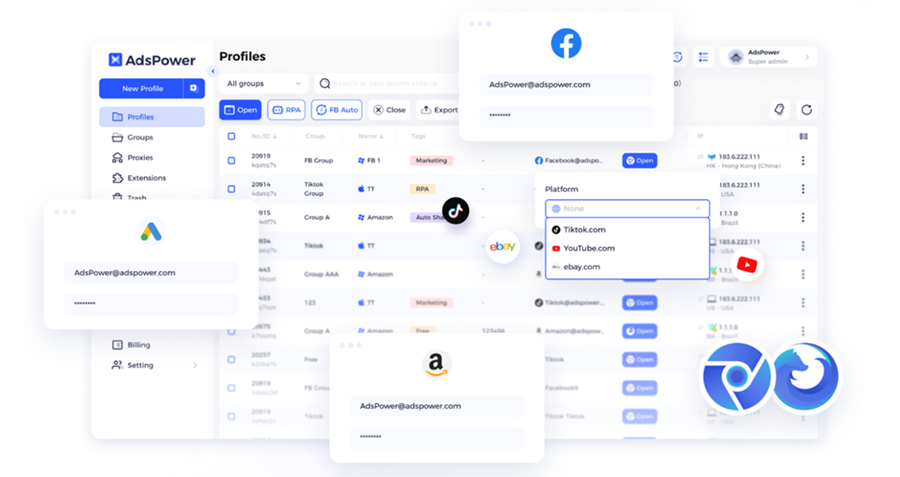
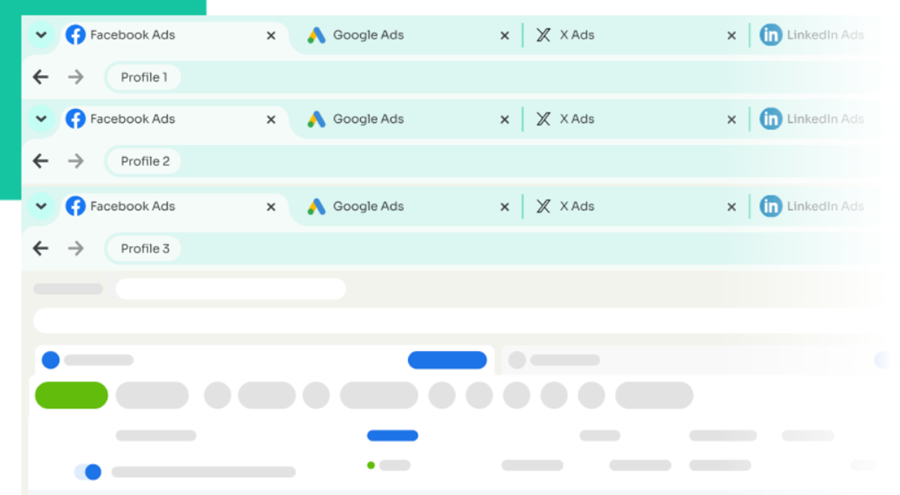
AdsPower is built for teams that run many accounts and want to automate routine work. 🤖 It offers Chrome-based and Firefox-based engines (SunBrowser and FlowerBrowser). Its standout tool is a built-in, no-code Robotic Process Automation (RPA) builder. Its multi-window synchronizer mirrors your mouse and keyboard actions across several profile windows at once. That speeds up account warm-ups and repeat tasks. It also offers a Local API and an MCP guide for AI tools.
- Supported platforms: Windows, macOS, Linux, plus an iOS app for managing profiles on iPhone.
- Free plan: 2 profiles with no time limit. The vendor says it includes the synchronizer and RPA. There is also a 7-day trial of all features.
- Starting price: From $9 per month for 10 profiles. Annual billing is discounted.
👍 Pros: Affordable entry price. Built-in RPA. Synchronizer included in the free plan. Wide platform support.
👎 Cons: The free plan has only 2 profiles and no team members. Pricing grows with profile count and seats.
2. GoLogin — Best All-Rounder & Easy-to-Use Interface
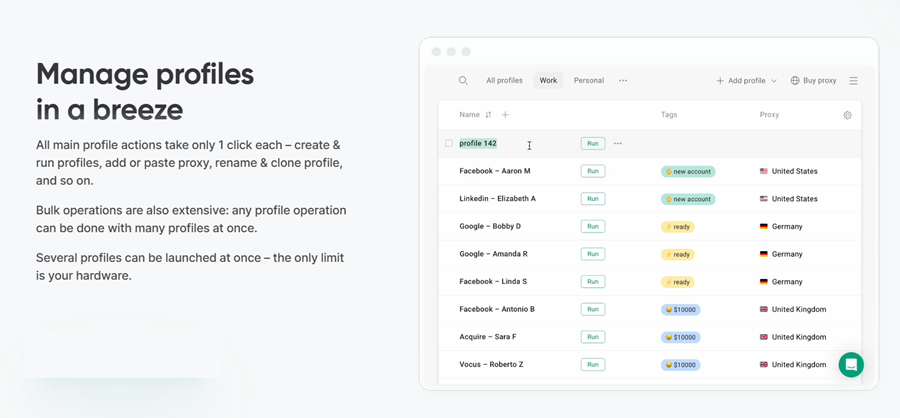
GoLogin balances price, features, and ease of use. ✅ Setup is quick. Profiles run on its Orbita browser, which is Chromium-based. Desktop apps cover Windows, macOS, and Linux. Mobile apps are available for Android and iOS. Paid plans also include Cloud Android minutes for mobile-first accounts like TikTok and Instagram.
- Supported platforms: Windows, macOS, Linux, Android, iOS.
- Free plan: 3 profiles, forever, with no credit card. Paid plans include a 7-day free trial.
- Starting price: $9 per month for 10 profiles, or $4.50 per month on annual billing.
- Automation: REST API, SDKs, and an MCP server start at the Professional 100 plan ($39/mo, or $19.50/mo billed annually).
👍 Pros: Clean interface. Quick setup. Real free plan. Native mobile apps.
👎 Cons: The API, synchronizer, and MCP server need a higher plan. The cheapest plan has no profile sharing and no residential proxy data.
3. Multilogin — Browser Profiles and Android Cloud Phones in One Platform
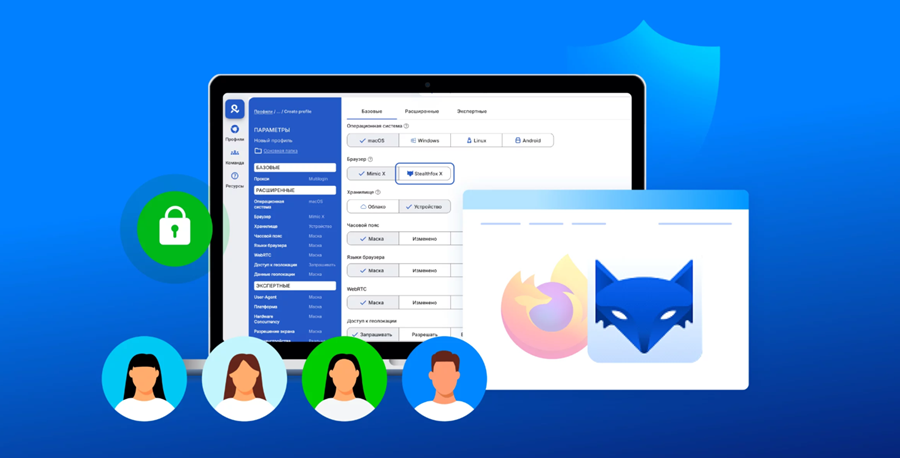
Multilogin is one of the longest-running names in this market. 🏢 It combines browser profiles with Android cloud phones that run on real smartphone hardware. Its browser profiles use the Mimic (Chromium-based) and Stealthfox (Firefox-based) engines. Teams use it for social media and multi-account workflows.
- Supported platforms: Windows, macOS, and Linux for browser profiles. Cloud phones run in the cloud on Android versions 10 to 16.
- Free plan: 5 cloud profiles with no time limit and no credit card. It includes a one-time 200 MB of premium proxy traffic and 30 mobile minutes. It has no API access.
- Starting price: Paid plans start from $7.08 per month on annual billing.
- Automation: API access comes with Pro and Business plans. Selenium, Playwright, and Puppeteer are supported.
👍 Pros: Cloud phones plus browser profiles in one dashboard. Built-in residential, ISP, and mobile proxies. Free plan to test.
👎 Cons: Cloud phone use is billed in mobile minutes. The free plan is cloud-only. Extra proxy traffic and minutes cost more.
4. Dolphin{anty} — Built for Media Buyers & Affiliate Marketers
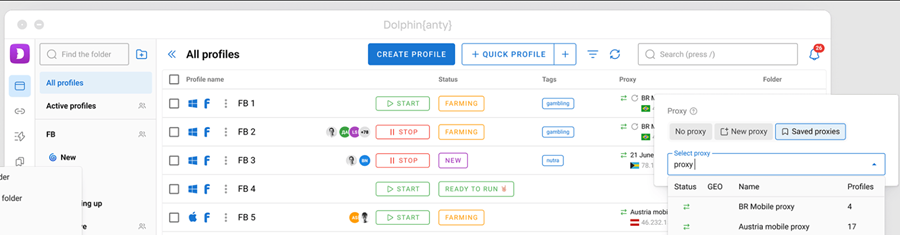
Dolphin{anty} is a Chromium-based antidetect browser popular with affiliate marketing teams and media buyers. 📣 It supports Chrome and Firefox engines. It simplifies bulk proxy assignment, tagging, statuses, and folders. Paid plans add team roles, profile sharing, and a no-code scenario builder.
- Supported platforms: Windows, macOS, Linux.
- Free plan: Up to 5 profiles. It has no API access.
- Starting price: $10 per month for 20 profiles (up to 60 with add-ons). The Base plan costs $89 per month for 100 profiles.
- Automation: API, Selenium, Puppeteer, Playwright, and the synchronizer are available on paid plans.
👍 Pros: Strong team tools and bulk actions. Free plan for testing. Cheap Starter plan.
👎 Cons: Roles and sharing start at the Base plan. The price jumps from $10 to $89.
5. Octo Browser — Stable Scaling for Teams
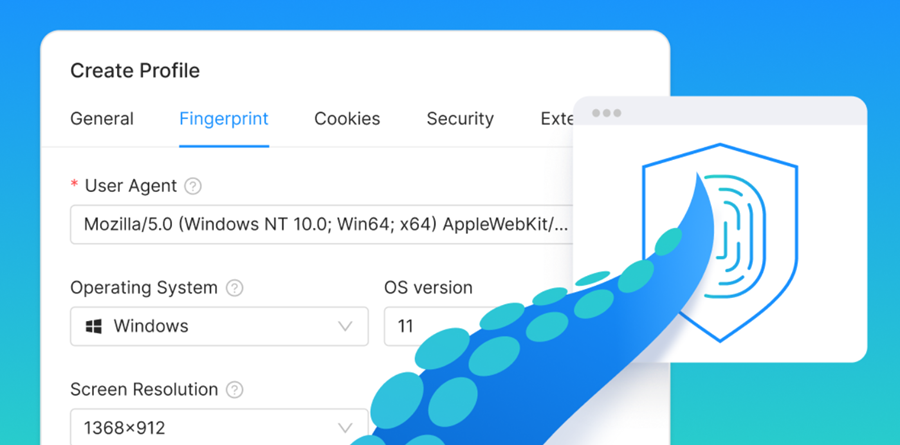
Octo Browser is a Chromium-based tool. The vendor highlights real-device fingerprints and quick Chromium updates. ⚙️ Profile data is encrypted in its cloud storage and can be opened on several devices. A built-in proxy shop sells residential and mobile proxies inside the app.
- Supported platforms: Windows, macOS, Linux.
- Free plan: None. New users can get a 2-day Starter trial with the promo code
TRIAL. - Starting price: €10 per month for 3 profiles (Lite). Starter costs €29 for 10 profiles. Base costs €79 for 100 profiles.
- Automation: API access starts at the Base plan.
👍 Pros: Clear plan tiers. Encrypted cloud profiles. Built-in proxy shop.
👎 Cons: No permanent free plan. The entry plan has only 3 profiles. API access needs the €79 plan or higher.
6. Incogniton — Budget-Friendly Tool for Small Teams
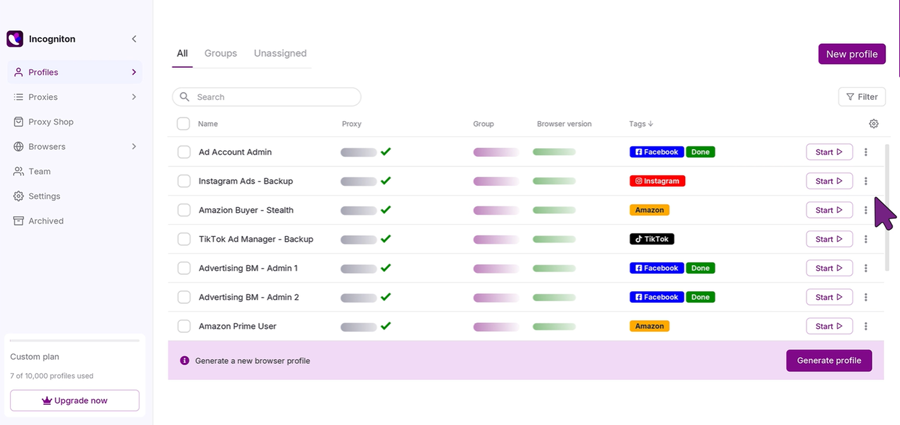
Incogniton is a beginner-friendly tool from a Dutch company. 🌷 Its starter package lets you test a real multi-account workflow without paying first. Free built-in proxies come with every plan.
- Supported platforms: Windows, macOS.
- Free plan: 10 browser profiles for the first 2 months. After that it drops to 3 profiles. No credit card is needed.
- Starting price: $19.99 per month for 10 profiles (Starter Plus). It drops to $13.99 per month on 6-month billing.
- Automation: REST API, Selenium, and Puppeteer start at the $29.99 Entrepreneur plan.
👍 Pros: Generous starter offer. Free built-in proxies. Simple to learn.
👎 Cons: The free package loses profiles after 2 months. The synchronizer, API, and team tools need higher plans. No Linux version.
7. Undetectable.io — Local Profiles & AI Integration
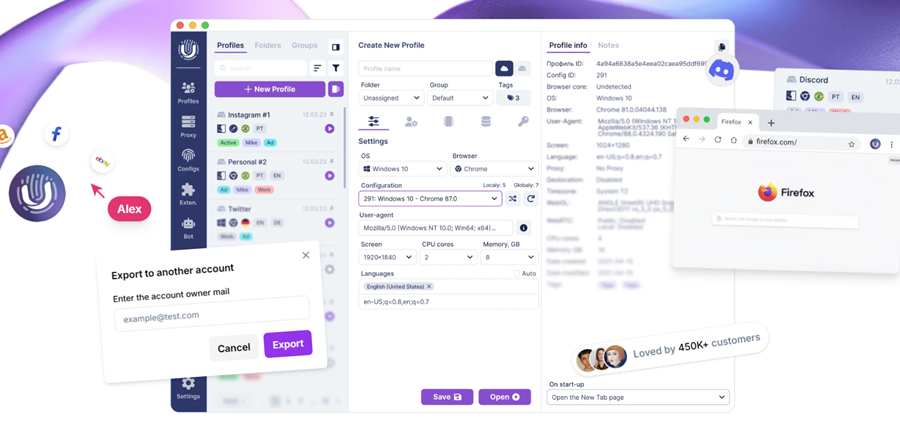
Undetectable.io lets you keep profiles in the cloud or on your own computer. 💾 In May 2026 it added an MCP server (version 2.46.0). That lets AI tools use the browser API for tasks such as typing, clicking, and scrolling. The vendor ships frequent Chromium updates.
- Supported platforms: Windows, macOS.
- Free plan: Up to 5 cloud profiles at a time, with a monthly limit of 50 profile creations.
- Starting price: $34 per month on yearly billing (about $49 monthly) for 50 cloud profiles.
- Automation: Local API and an MCP server.
👍 Pros: Local storage option. AI-ready API. Frequent updates.
👎 Cons: Higher entry price. Windows and macOS only. Cloud profile counts are capped per plan.
8. 1Browser — Budget Profiles with Built-In Proxies
1Browser is a desktop proxy browser with built-in residential, mobile, and datacenter proxies. 🧩 Its profiles persist. Cookies, fingerprint, and proxy stay attached to a profile ID you control. Every plan includes a local automation API over CDP. An Android app keeps the same profile available on your phone.
- Supported platforms: Windows, macOS, Linux, Android.
- Free plan: 5 profiles with limited proxy countries and basic browser speed. Five free proxy locations are listed: USA, Canada, Germany, Australia, and India.
- Starting price: $6 per month for 10 profiles ($5 per month billed annually). Custom plans with 20+ profiles start at $9 per month.
- Automation: Local API over CDP on every plan.
👍 Pros: Low prices. Proxies included. Automation on every plan.
👎 Cons: The free plan limits proxy countries and speed.
9. Nstbrowser — Scraping & Automation Workflows
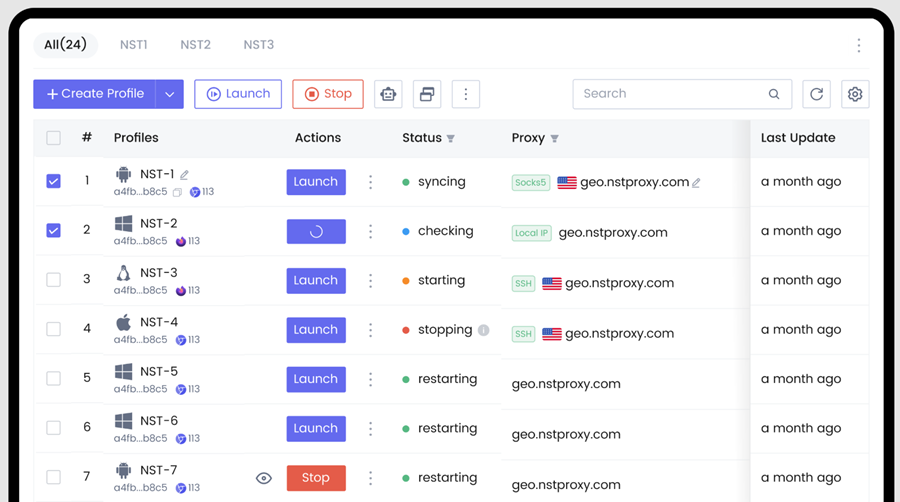
Nstbrowser targets web scraping and automation teams. 🕷️ It combines an antidetect browser with an RPA builder, an API, built-in proxy options, and optional CAPTCHA solving billed by use.
- Supported platforms: Windows 10+ and macOS (Apple Silicon and Intel).
- Free plan: 500 profiles, 30 standard profile launches per day, and 3 team members.
- Starting price: $29.90 per month for the Starter plan. Annual billing saves up to 40%.
- Automation: API, RPA, and Puppeteer and Playwright support.
👍 Pros: The largest free profile count on this list. Built for automation. Usage-based extras.
👎 Cons: The free plan caps daily launches. Overage is billed per launch. The setup suits technical users best.
10. Kameleo — Mobile Fingerprints & Developer-Friendly Automation
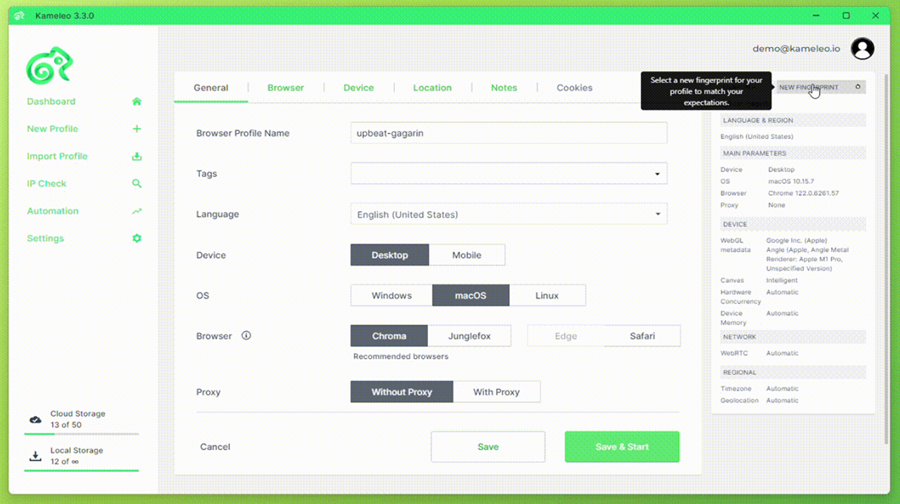
Kameleo uses custom-built browsers: Chroma (Chrome-based) and Junglefox (Firefox-based). 📱 It can emulate Android and iOS mobile browsers from your desktop. It does not price by profile count. Instead, you pay for concurrent browsers. SDKs are available for Python, JavaScript, and C#. Official Docker images support scalable automation.
- Supported platforms: Windows 10+, macOS 12+, and Docker.
- Free plan: 2 concurrent browsers, 100 cloud profiles, 300 minutes of browser time, and 3 team members.
- Starting price: €59 per month for 10 concurrent browsers (€45 per month billed annually).
- Automation: Local API, SDKs, Selenium, Puppeteer, and Playwright.
👍 Pros: Real free plan. Strong developer tools. Emulated mobile browsers. Unlimited team seats on paid plans.
👎 Cons: The concurrency pricing model takes time to size. The free plan has a time cap. There is no native desktop Linux app, only Docker.
Not sure which free plan suits you? The next section lines them up side by side.
🆓 Best Free Antidetect Browsers (Plans Compared)
A real free plan does not expire. A free trial usually does. Here is what each tool offers today:
| Browser | Free option | Main limits |
|---|---|---|
| Nstbrowser | 500 profiles, no time limit | 30 standard launches per day |
| Kameleo | 100 cloud profiles, 2 concurrent browsers | 300 minutes of browser time |
| Incogniton | 10 profiles for 2 months, then 3 | No API, synchronizer, or team tools |
| Dolphin{anty} | Up to 5 profiles | No API or synchronizer |
| Multilogin | 5 cloud profiles | Cloud-only, no API |
| 1Browser | 5 profiles | Limited proxy countries, basic speed |
| Undetectable.io | 5 cloud profiles | 50 profile creations per month |
| GoLogin | 3 profiles, forever | No profile sharing, API, or cloud launches |
| AdsPower | 2 profiles, forever | No team members |
| Octo Browser | No free plan | 2-day Starter trial with promo code |
Let us review which browser fits your business model best.
🎯 Which Antidetect Browser Fits Your Use Case Best?
Use this reference table to choose the right software for your operations:
| Business scenario | Recommended antidetect browser | Why this choice works |
|---|---|---|
| E-commerce (Amazon, eBay, Etsy) | AdsPower | Built-in synchronizer and RPA workflows help with store routines. |
| Affiliate ads (Facebook, TikTok, Google) | Dolphin{anty} or GoLogin | Bulk proxy assignment, tags, statuses, and team roles. |
| Agencies and mixed desktop + mobile accounts | Multilogin | Browser profiles and Android cloud phones in one dashboard. |
| Web scraping and data extraction | Nstbrowser, Kameleo, or Octo Browser | APIs, SDKs, and support for Puppeteer and Playwright. |
| Mobile apps and social operations | Kameleo, GoLogin, or Multilogin | Emulated mobile browsers, Android apps, or real-hardware cloud phones. |
| AI-agent automation | Undetectable.io, AdsPower, or GoLogin | MCP support for connecting AI tools to browser profiles. |
| Tight budgets and testing | Nstbrowser, Incogniton, or 1Browser | Generous free plans or very low entry prices. |
Software isolation handles hardware parameters, but you still need clean network IPs to succeed.
🌐 The Crucial Missing Piece: Why an Antidetect Browser Needs Clean Proxies
An antidetect browser hides your local device. It does not hide your IP address. If many profiles connect through the same IP, or through low-quality datacenter IPs, platforms can link your accounts and ban the whole group. 🚫
Think of it as teamwork. The browser isolates device signals. The proxy isolates network signals. 🤝
Selecting the Right Proxy Strategy
| Proxy type | Trust level | Speed | Cost structure | Best use case |
|---|---|---|---|---|
| Static residential (ISP) proxies | High | Fast and stable | Fixed price per IP | Long-term stores, ad accounts, and any profile that needs one steady IP. |
| Static datacenter proxies | Medium | Very fast | Fixed price per IP (lowest cost) | Speed-focused workflows, monitoring, and tools that accept datacenter IPs. |
| Rotating residential proxies | High | Fast and dynamic | Pay per GB | Data collection, SEO and price monitoring, and geo-testing. |
| Rotating mobile proxies (3G/4G/5G) | High | Varies by carrier | Fixed or per GB | Mobile-first platforms and mobile ad checks. |
📌 Match the proxy to the task. A logged-in account should keep a steady IP. Use static proxies, or sticky sessions. UtaProxy rotating residential proxies support sticky sessions for up to 60 minutes.
💡 Pro Tip: Pair your antidetect browser with UtaProxy Static Residential (ISP) Proxies for stable, dedicated IPs that stay the same across sessions. Need more speed at a lower price? Try static datacenter proxies. For data collection, explore rotating residential proxies. Each profile gets its own IP, so profiles do not share a network identity.
🎁 Ready to Pair Your Browser with Clean IPs?
Register with UtaProxy, open your Dashboard, and submit the Free Trial application form. Approval usually takes 24–48 hours. Then add your proxy to any antidetect browser in this guide and test it with the steps.
Let us walk through setting up proxies in your antidetect browser.
🛠️ How to Set Up Proxies in an Antidetect Browser
Most antidetect browsers use a similar flow. It takes just a few clicks:
- Get proxy credentials: Log in to your UtaProxy Dashboard. Copy your IP address or host, port, username, and password. No account yet? Register here and apply for the free trial in the Dashboard.
- Create a new browser profile: Open your antidetect browser (for example AdsPower or GoLogin) and click Create Profile.
- Open the proxy settings: Choose your protocol: HTTP, HTTPS, or SOCKS5.
- Paste the server details: Enter your host, port, username, and password.
- Test the connection: Click Check Proxy. The browser tests the response and shows the IP location.
- Save and launch: Save the profile and click Launch to start your isolated session.
Once set up, confirm your new browser profile passes online anonymity tests.
✅ How to Test Your Antidetect Browser Profile
Before you log in to valuable accounts, test each profile with independent tools:
Step 1: Check IP Reputation
Open Scamalytics.com inside your profile and check your proxy IP. As a rule of thumb, aim for a low fraud score, ideally under 25. A high score can mean the IP is flagged as a data center, spam source, or abuse source.
Step 2: Test Browser Fingerprint Integrity
Open Pixelscan.net, IPhey.com, BrowserScan.net, or CreepJS inside the launched profile. Check that your setup looks like a normal user device. Look for flags such as headless or automation signs. Remember that results can change after browser updates.
Step 3: Verify WebRTC, Timezone & Language Alignment
Confirm that the profile timezone, Accept-Language header, and WebRTC location match your proxy location. A mismatch between your clock and your IP location is a common red flag. 🚩
Before the FAQ, one important reminder about how to use these tools.
⚖️ Use Antidetect Browsers Responsibly
- 📜 Read platform rules. Some platforms limit or ban multiple accounts. Others allow them with conditions.
- 🚫 Do not use these tools for fraud, spam, or abuse. This can break the law and platform terms.
- 🌍 Follow local laws. Rules differ by country.
- 🔐 Protect your accounts. Use strong passwords and two-factor authentication on every account.
Review these quick answers to common questions about antidetect browsing.
❓ Frequently Asked Questions (FAQ)
What is the best antidetect browser in 2026?
There is no single best tool for everyone. AdsPower suits e-commerce and no-code automation. GoLogin suits beginners and mobile users. Multilogin suits teams that want browser profiles and cloud phones together. Check the use case table and test a free plan first.
Is there a free antidetect browser?
Yes. Nstbrowser offers 500 free profiles with a daily launch cap. Kameleo, Dolphin{anty}, GoLogin, AdsPower, Multilogin, 1Browser, and Undetectable.io also have free plans. See the free plan comparison.
Is using an antidetect browser legal?
In most countries, the software itself is legal. Agencies, developers, researchers, and e-commerce teams use it. But how you use it matters. Breaking a platform's terms can get your accounts banned. Using it for fraud or other illegal acts can break the law. Always follow local laws and platform rules.
Do I need a proxy with an antidetect browser?
Yes, in almost every case. The browser changes your device fingerprint. It does not change your IP. Use a dedicated proxy for each profile. Our proxy section explains which type fits which job.
Can I use an antidetect browser with a free VPN instead of proxies?
This is not a good idea. Free VPNs route many users through shared IPs. Platforms often flag those IPs. That can lead to captchas, blocks, or suspended accounts. Use clean, dedicated residential proxies instead.
Can websites still detect antidetect browsers?
Yes, it can happen. No tool guarantees success on every site. Detection depends on fingerprint quality, IP quality, and your behavior. Keep your browser updated. Match timezone, language, and IP location. Test profiles before you use them.
How many browser profiles can I run at the same time?
It depends on your plan and your hardware. Each running profile needs memory. Chromium-based profiles often use a few hundred megabytes of RAM each. Some tools use less. Check your plan limits and test on your own machine.
🏁 Final Verdict: How to Choose the Best Antidetect Browser for Your Needs
Choose the tool that fits your goals and technical level:
- 🛒 Select AdsPower if you run e-commerce stores and want built-in, no-code RPA.
- 📱 Select GoLogin if you want an easy interface with Android and iOS apps.
- 🏢 Select Multilogin if you want browser profiles and Android cloud phones in one platform.
- 📣 Select Dolphin{anty} if your team focuses on media buying and ad campaigns.
- 🕷️ Select Nstbrowser or Kameleo if you build scraping and automation workflows.
Whichever tool you pick, remember the golden rule. A strong antidetect browser plus a clean, dedicated proxy for each profile gives you a safer setup for managing multiple accounts. 🔒

Daniel Carter
Proxy & Web Data Specialist
Daniel Carter is a Proxy & Web Data Specialist at UtaProxy, focusing on proxy technology, web data collection, and online infrastructure. He writes practical guides and in-depth insights to help businesses understand proxy solutions, choose the right proxy type, and build more reliable data workflows.